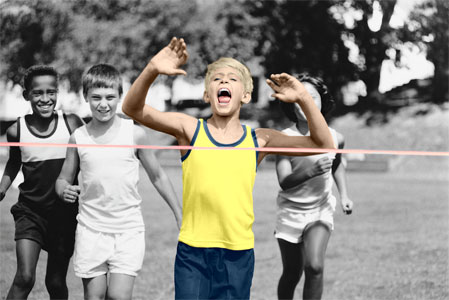
Colorazione selettiva su foto in B&N
Tra i tutorial di AKVIS Coloriage AI si possono trovare molti esempi su come colorare una foto in B&N, ma è anche possibile aggiungere colore ad un solo oggetto dell’immagine monocromatica, questo per porre in risalto qualcosa o qualcuno, attribuendo alla foto un'espressività particolare.
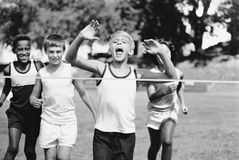
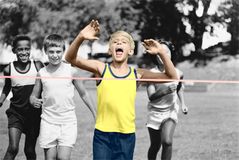
Seguire questi passaggi per colorare solo una parte di una foto in bianco e nero:
- Passaggio 1. Aprire una foto in B&N. Qui utilizzeremo l’immagine di giovani atleti.
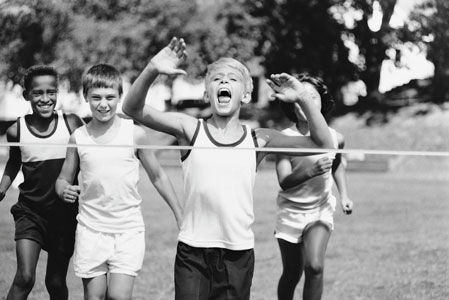
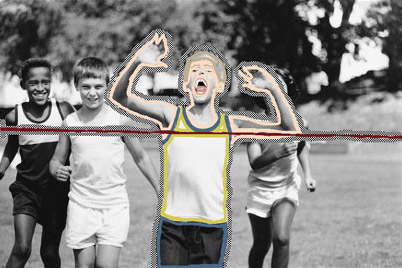
- Passaggio 2. Nella modalità Classica usare la Matita
 per disegnare il profilo interno della figura chiave, in questo caso il ragazzo-vincitore.
Selezionare i colori per l’abbigliamento, i capelli, gli occhi, la bocca, le labbra ed il nastro del traguardo.
- Passaggio 3. Utilizzare la Matita conserva colore
 per tracciare il contorno esterno dell’oggetto principale (il vincitore e il nastro).
Se non è possibile disegnare un perimetro chiuso, la linea "conserva colore" deve andare oltre la cornice, in modo che non ci siano vuoti tra l’area da conservare e la parte da colorare.
- Passaggio 4. Premere su
 per avviare il processo di colorazione.
Ecco come si può colorare una porzione d'immagine… facilmente e con pochi passaggi!
Coloriage AI v. 15.7 - 10-giorni di prova gratuita
