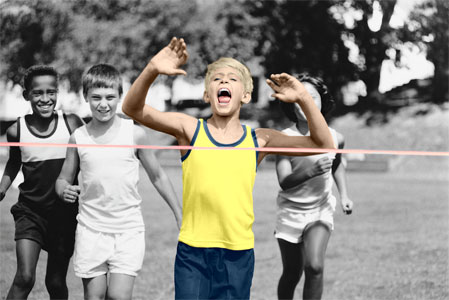
Partial coloring of B&W photos. AKVIS Coloriage.


AKVIS ニュースの購読を申し込むには, 電子メールアドレスを入力してください。
 
 
  プログラム     ダウンロード     サイバーショップ     チュートリアル     サポート     会社情報      お客様の部屋
en  fr  de  es  pt  it  jp  ru    
 

チュートリアル: AKVIS Coloriage

Partial coloring of B&W photos


あいにく, このページは英語にだけ使用可能です。日本語のバージョンは遠からず出ります。
Attention! You can get a free licence for an AKVIS program by translating texts from English to Japanese.
Please contact us at team@akvis.com.

In tutorials for the AKVIS Coloriage Plugin you can find many examples of colorization of black and white photos. But it is also possible to add color to only one object of the image in order to place special emphasis on it. In some cases partial coloring can be particularly useful.

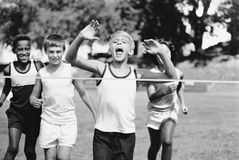
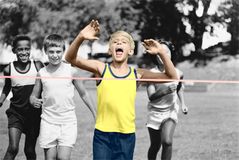
    Original image Colorized image

Follow the instructions to colorize a part of the photo:

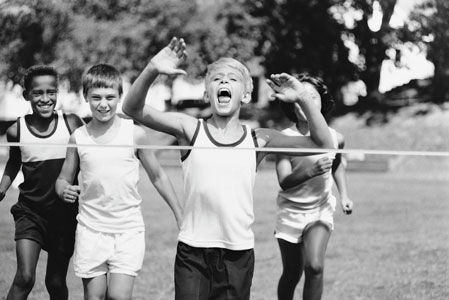
  • Step 1. Open the photo of the young sportsmen in your photo editor.
    the original black and white photo of sportsmen
  • Step 2. Call the AKVIS Coloriage Plugin.
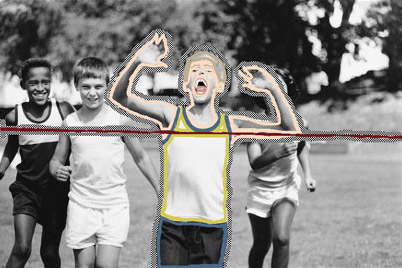
  • Step 3. Use the Pencil tool to assign colors to the key figure of the image. In our case we will colorize the boy who wins the race. We choose colors for his clothes, his hair, eyes, teeth, lips and the color of the finish ribbon.
  • Step 4. Use the Keep-color Pencil tool to draw a close outline around the key object. If it is not possible to draw a close outline, the keep-color line should go beyond the photo frame, so that there are no gaps between the keep-color outline and the image.
    Use the Pencil tool to assign colors to the key object; use the Keep Color Pencil tool to draw an outline around the colorized object
  • Step 5. Press the button to start the colorization process. In a few steps you have got a partially colorized photo.
    Partial coloring
  • Step 6. Apply the partial coloring to the picture by pressing the button .
 
操作方法 操作方法
   — ワークスペース — ワークスペース
   — 操作方法 — 操作方法
   — 色の選択 — 色の選択
   — 環境設定 — 環境設定
操作例 操作例
   — 古い絵はがき — 古い絵はがき
   — 車体の色の変更 — 車体の色の変更
   — 部分的な非彩色化 — 部分的な非彩色化
   — 白黒写真をカラーに (婦人編) — 白黒写真をカラーに (婦人編)
   — 白黒写真をカラーに (紳士編) — 白黒写真をカラーに (紳士編)
   — カナダ開拓者 — カナダ開拓者
   — カラフルな背景の作成 — カラフルな背景の作成


ページの先頭へ


   プライバシー | サイトマップ | Web サイトの検索    
   連絡先 | Twitter | Facebook | YouTube Channel    
| English  |Français  |Deutsch  |Español  |Português  |Italiano  | 日本語  |Pусский  | © 2004-2012 AKVIS. All rights reserved.