Colorare una foto di gruppo con piccoli dettagli
Con AKVIS Coloriage AI è possibile colorare qualsiasi foto, anche la più complicata, ma per ottenere un buon risultato bisogna avere molta pazienza con i "casi complessi" come quando bisogna assegnare un colore ad ogni piccolo particolare.
Buone notizie! Lavorando con AKVIS Coloriage AI non è necessario selezionare accuratamente ogni dettaglio, manipolare i livelli e le loro opzioni, tutto ciò che serve è disegnare il contorno interno di ogni oggetto con il colore scelto.
Abbiamo usato AKVIS Coloriage AI nella modalità Classica per colorare una foto di gruppo.
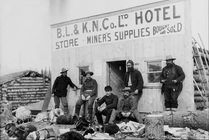
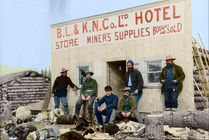
La foto non è semplice da colorare…
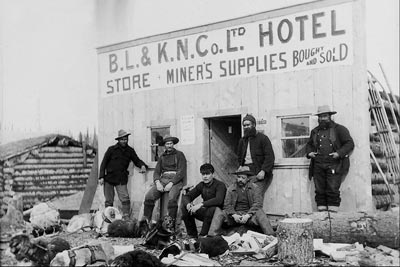
…perché bisogna assegnare una tinta ad ogni dettaglio dell’abbigliamento ed alla pelle delle persone;
un colore ad ogni lettera della scritta facendo attenzione a tracciare tra loro le linee del colore dell’insegna;
poi ci sono anche i cani a cui bisogna assegnare una nuance per il pelo (per alcuni anche più di una gradazione) e per le cinghie;
ulteriori oggetti come: la terra e il cielo, i tronchi dell’albero, la casa sullo sfondo e la facciata dell’edificio in legno hanno bisogno di essere dipinti.
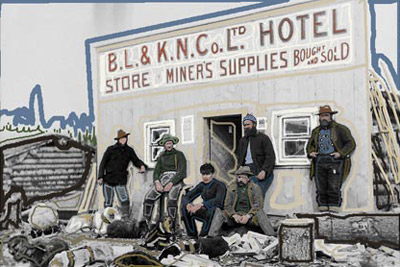
Quando tutti i colori sono stati tracciati premere su  e ammirare il risultato nella scheda Dopo.
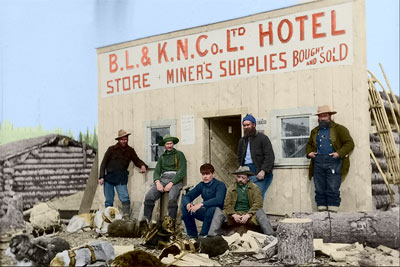
Premere su  per applicare il risultato della colorazione.
Coloriage AI v. 15.7 - 10-giorni di prova gratuita
