Colorare un ritratto di famiglia
La foto è stata inviata da Chuck Croom. In realtà, era in pessime condizioni (tutta coperta di graffi e macchie di colore, oltre ad avere una tinta bluastra). Ecco perché, prima di tutto, è stata ritoccata con AKVIS Retoucher.
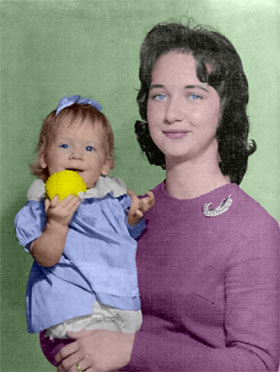
Ora passiamo alla colorazione usando AKVIS Coloriage AI nella modalità Classica.
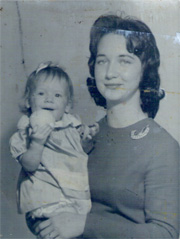
Foto originale
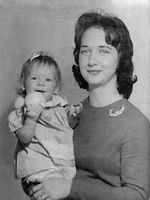
Foto ritoccata
con AKVIS Retoucher
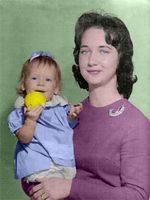
Foto colorata
con AKVIS Coloriage AI
È possibile colorare questa foto, usando i materiali che ti forniamo. Scaricare l’archivio contenente l'immagine originale ed il file con i tratti (*. strokes). Leggere le istruzioni per imparare ad utilizzare i file .strokes con AKVIS Coloriage AI.
Seguire le istruzioni per colorare la foto:
-
Passaggio 1. Aprire la foto e passare alla modalità Classica.
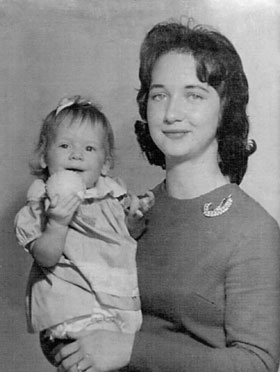
-
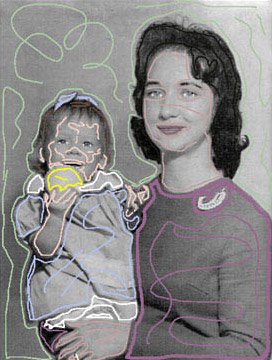
Passaggio 2. Assegnare ad ogni oggetto un colore utilizzando lo strumento
 .
.
E’ possibile scegliere le tinte dalla Libreria colori, dalle schede Colori o Campioni. Disegnare il contorno interno dell'oggetto e tracciare anche ulteriori linee al suo interno. Attenzione hai piccoli particolari come la spilla e la fede.
-
Passaggio 3. Avviare il processo di colorazione premendo su
 , il risultato verrà mostrato nella scheda Dopo.
Coloriage AI v. 15.7 - 10-giorni di prova gratuita
