How To Create Light Effects With AKVIS Lightshop


Subscribe to News:
   Products   Download   Purchase   Tutorial   Support   Company     Customer Room
en  fr  de  es  pt  it  jp  ru  
 

Tutorial: AKVIS LightShop

How It Works


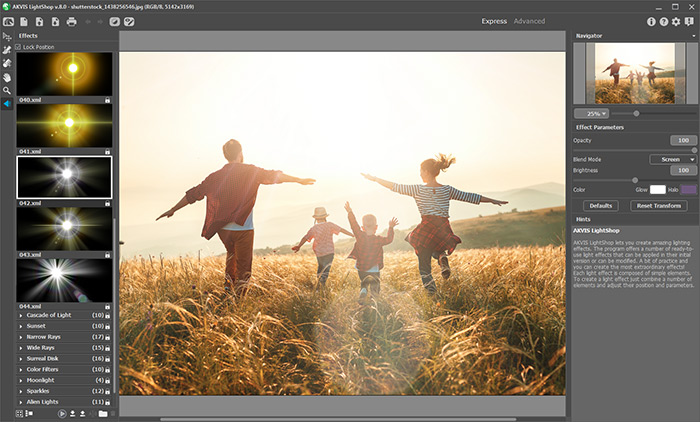
AKVIS LightShop helps you create amazing light effects: lightning in a stormy sky, a colorful rainbow over a city, a reflection on a raindrop, the glow on smoldering wood in a fire-place, alien signs blazing in the night sky, flares on the sun, the lights of distant planets, fireworks - wherever your imagination may take you!

The program offers a number of ready-to-use light effects. A bit of practice and you can create the most extraordinary effects!
 

How It Works

Light Effects Elements


How It Works How It Works
   — Workspace — Workspace
   — How To Use The Program — How To Use The Program
   — Light Effects — Light Effects
   — Creating a New Light Effect — Creating a New Light Effect
   — Effect Parameters — Effect Parameters
   — Toolbar — Toolbar
   — Star Brush — Star Brush
   — Preferences — Preferences
Light Effects Elements Light Effects Elements
   — Sphere — Sphere
   — Ring — Ring
   — Polygon — Polygon
   — Light Stripe — Light Stripe
   — Light Beams — Light Beams
   — Particles — Particles
   — Star Burst — Star Burst
   — Light Explosion — Light Explosion
   — Rays — Rays
   — Halo — Halo
   — Light Spots — Light Spots
   — Oval Light Spots — Oval Light Spots
Examples Examples
   — Fireworks over the City — Fireworks over the City
   — Simple Glow Effects — Simple Glow Effects
   — Glowing Tree: Happy New Year Card — Glowing Tree: Happy New Year Card


LightShop v. 4.0 - Free 10-day Trial:  Download


back to top


   Privacy Policy | Search | Contact Us    
   Twitter | Facebook | YouTube | Forum    
| English  | Français  | Deutsch  | Español  | Português(Br)  | Italiano  | 日本語  | Pусский  | © 2004-2014 AKVIS. All Rights Reserved.
