Graphic software for Windows Mac graphic software  
Please enter your email to be kept posted on updates and discounts:
 
  
  Products     Download     Online Store     Tutorial     Support     About Company
en  fr  de  es  pt  it  jp  ru    
 

Tutorial: AKVIS LightShop

PolySpikeBall


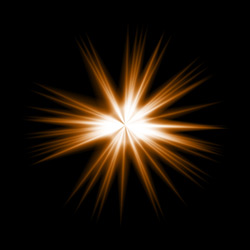
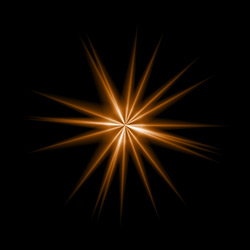
PolySpikeBall is a star with randomly distributed rays. This element's rays, contrary to the SpikeBall element, are not thin and pointed, but thick, with bright center, and are fading gradually to the edges. The color of the element, its size, opacity, the number of rays, and their size are regulated with corresponding parametersâ.

Preview of the element PolySpikeBall

The Color of the PolySpikeBall is set on a gradient line that has two white sliders initially. The left slider represents the color in the center of the element, the right slider - the edge color, with soft transitions between them.

To change a slider color you should double-click on it with the left mouse button and choose a color from the Standard color selection dialog box. You can add an infinite number of intermediate sliders and set a color to each of them.

Color selection

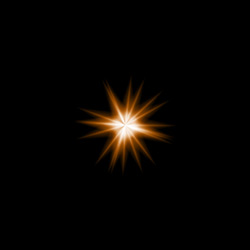
The Size parameter sets the size of the PolySpikeBall element as a percentage of the minimal image size, so that the element applied to the image at 100% Size would fit in.
Size = 50% Size = 100%

The Opacity parameter sets the opacity level of the light effect. The default value of the parameter is 100% that corresponds to a solid Rays element. The less is the parameter value the more transparent is the element. With Opacity =0% the element is completely transparent.
Opacity = 50% Opacity = 100%

Rays count parameter sets the number of rays in the element.
Rays count = 25 Rays count = 50

Random size parameter sets the spikes length diapason. With the diapason set at zero all spikes have the same maximum size. When Random size is 50%, the length varies randomly between the half and the whole length. With Random Size at 100%, the length of the spikes varies randomly between the zero and the whole length.
Random size = 0% Random size = 95%

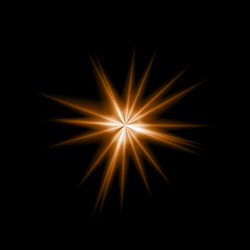
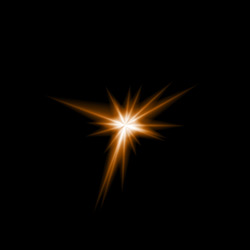
Random seed. This number is the starting number for the random-number generator. This parameter is set within the range of 0 to 9999; every number produces a unique distribution of rays within the element.
Random seed = 3018 Random seed = 5024 Random seed = 9836

 
How It Works How It Works
   — Workspace — Workspace
   — Applying a Light Effect — Applying a Light Effect
   — Editing Light Effects — Editing Light Effects
   — Creating new light effects — Creating new light effects
   — Common parameters — Common parameters
   — Options — Options
Elements and Their Parameters Elements and Their Parameters
   — Blob — Blob
   — Ring — Ring
   — Rays — Rays
   — Stripe — Stripe
   — Particles — Particles
   — SpikeBall — SpikeBall
   — PolySpikeBall — PolySpikeBall
   — PhotonSpikeBall — PhotonSpikeBall
Modifiers Modifiers
   — Scale — Scale
   — Rotate — Rotate
   — Move — Move
   — Flower — Flower
   — Star — Star
   — Whirlpool — Whirlpool
   — MaskSector — MaskSector
   — Fractal — Fractal
   — Inferno — Inferno
Examples Examples
   — Thunder and Lightning — Thunder and Lightning
   — Firework over the City — Firework over the City
   — Rooster constellation — Rooster constellation
   — Fantastic cocktail — Fantastic cocktail
   — Snow Bursts (Greeting Card) — Snow Bursts (Greeting Card)
   — A fire in a castle — A fire in a castle


   Privacy Policy | Site Map | Search | English  | Français  | Deutsch  | Español  | Português  | Italiano  | 日本語  | Pусский  | © 2004-2008, AKVIS Software Inc. All rights reserved.