Girl with Flowers: Focus Correction
あいにく, このページは英語にだけ使用可能です。
Flowers, both real and in a painting, are pleasing to the eye and give a sense of joy and a festive mood. Perhaps this is why the image of flowers are an almost integral part of romantic compositions.
Unfortunately, a poor image may spoil the reputation of these perfect works of nature. Let's take a photo of a girl with flowers. The photo is beautiful but somewhat blurry. AKVIS Refocus AI can address this shortcoming.


The standalone version of AKVIS Refocus AI was used for this tutorial, but it's possible to obtain the same result in a graphics editor with the Refocus AI plug-in.
- Step 1. Run AKVIS Refocus AI and open the image of girl with flowers by pressing
 .
.

- Step 2. Select Refocus AI mode. The image will be processed automatically using the default image sharpening settings. The result will be shown in the preview area in the Before tab.
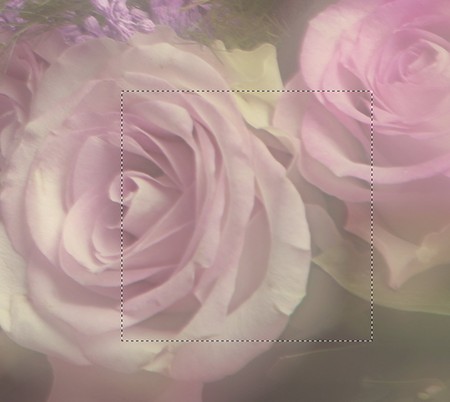
- Step 3. The image still seems a little unclear. Change the parameters in the Settings Panel as shown below:
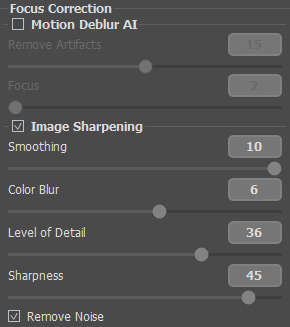
Afterward you will see the following result:
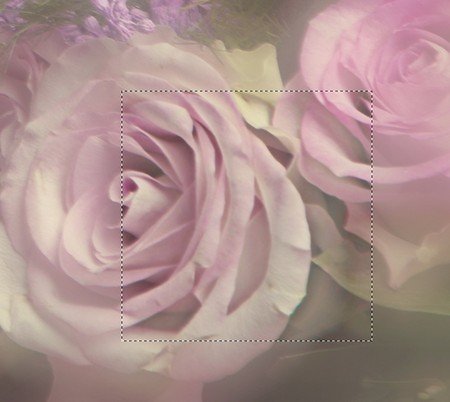
Much better.
- Step 4. Press
 to process the entire image. After processing is complete the result will be shown in the After tab.

- Step 5. Save the result by pressing
 .
.
Refocus AI v. 11.9 - 10日間の評価期間
