Paesaggi montani: creare un'immagine HDR
Le foto sono state inviate da Denis Davydov.
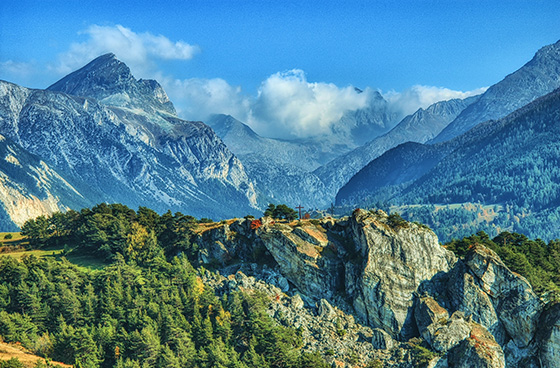
Denis ci ha inviato una serie di scatti con diverse esposizioni. Il paesaggio è veramente bello, tuttavia i colori appaiono scuri e alcuni oggetti sono difficilmente visibili perché poco illuminati. Utilizzando AKVIS HDRFactory si possono rivelare parecchi dettagli, perfezionare la saturazione del colore ed ottimizzare notevolmente l’intera immagine.
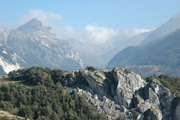
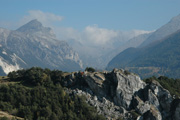
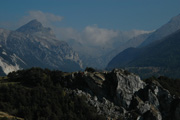
Immagini originali
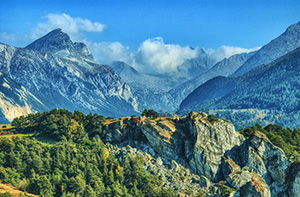
Risultato finale: immagine HDR
- Passaggio 1. Aprire il programma AKVIS HDRFactory.
- Passaggio 2. Premere su
 e selezionare i file.
Le immagini verranno caricate nel programma e trasformate automaticamente con i parametri di default (preset AKVIS Default).
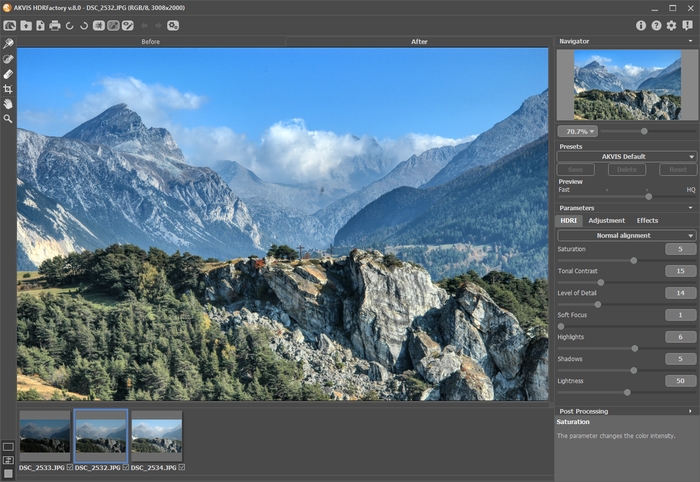
- Passaggio 3. Regolare le impostazioni di Mappatura dei toni.
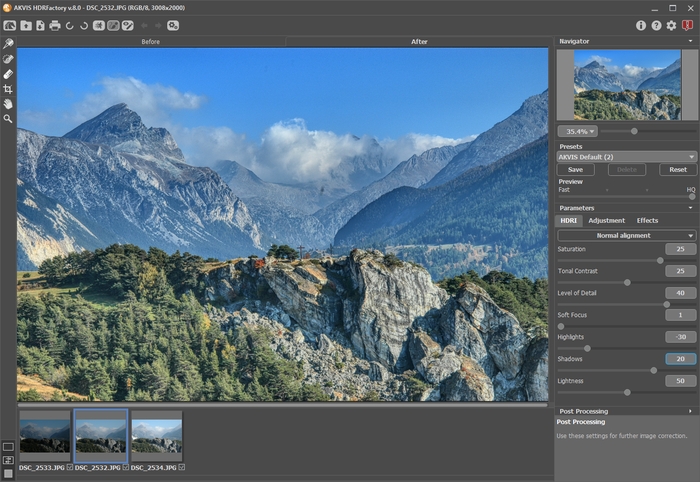
L’esito è buono. È possibile salvare il risultato premendo su
 . Il nostro obiettivo però è quello di rendere l'immagine più luminosa e di rivelare alcuni oggetti in ombra.
- Passaggio 4. Passare alla scheda Regolazioni per aggiungere volume agli oggetti.
Regolare le impostazione come nell’immagine seguente:
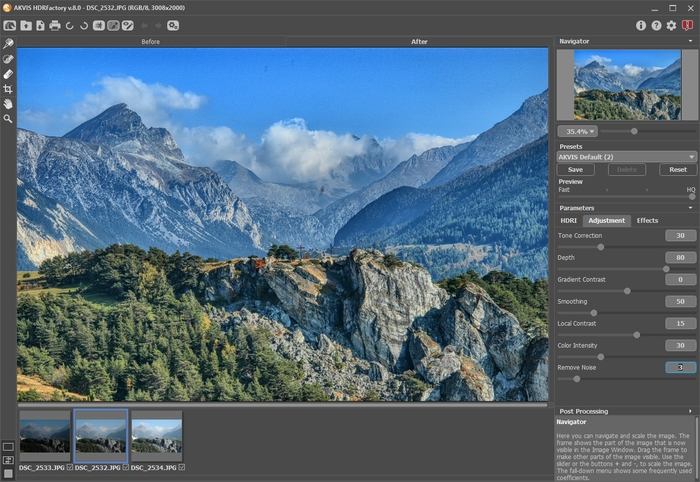
- Passaggio 5. L'immagine appare troppo chiara ed occorre renderla più intensa.
Aprire i parametri di Ulteriore elaborazione ed impostare i valori: Luminosità = 15, Saturazione = 40, Gamma = 90.
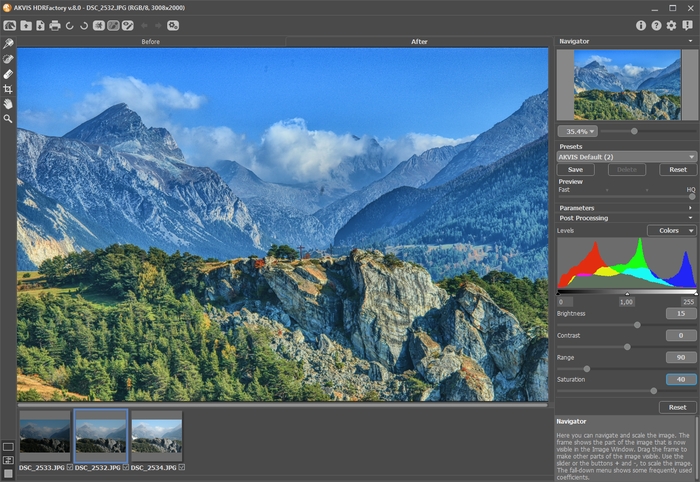
È possibile confrontare il risultato ottenuto con l’immagine precedente passando tra le schede Prima e Dopo.
- Passaggio 6. Il lavoro è ultimato! Ora la nostra immagine è brillante, luminosa e dettagliata.
Premere su
per salvare il risultato.
HDRFactory v. 8.1 - 10-giorni di prova gratuita
