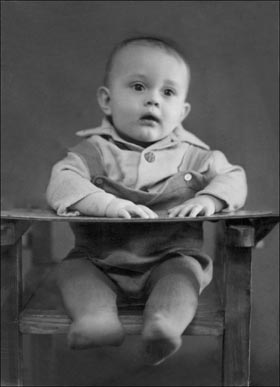
Aggiungere colore alla foto di un bimbo
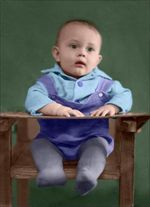
Potete colorare questa foto voi stessi, usando i materiali che vi forniamo. Scaricare l’archivio contenente l'immagine originale ed il file con i tratti (*.strokes). Leggere le istruzioni per imparare ad utilizzare i file .strokes con AKVIS Coloriage AI.
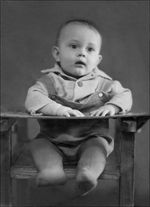
Andremo a colorare una foto che prima è stata restaurata e ritoccata con AKVIS Retoucher. Il processo di ritocco è descritto nell'esercitazione di Retoucher.
-
Passaggio 1. Aprire la foto restaurata nell’editor grafico che supporta i plugin AKVIS e lanciare il plugin AKVIS Coloriage AI. In AliveColors selezionare dal menu Effetti -> AKVIS -> Coloriage AI.
È possibile utilizzare la versione standalone di Coloriage AI (il metodo di lavoro è analogo).
-
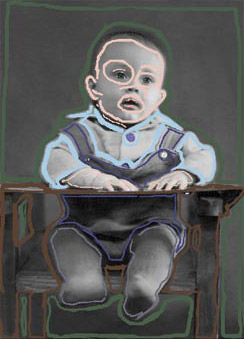
Passaggio 2. Nella modalità Classica disegnare il profilo interno di ogni oggetto con il colore scelto. Selezionare le tinte per il seggiolone, la pelle, i capelli e le labbra dalla Libreria colori.
Quando si colorano gli occhi e le labbra bisogna ricordare di tracciare i contorni esterni con la tinta selezionata per la pelle, questo per evitare sbavature dei colori.
Non bisogna dimenticare di tracciare internamente un colore per i bottoni ed esternamente quello della camicia.
-
Passaggio 3. Premere il pulsante
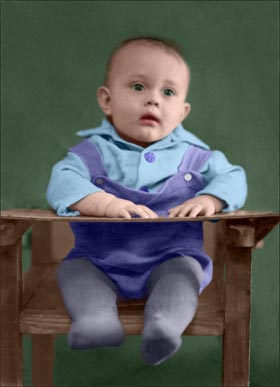
 per vedere l’immagine colorata nella scheda Dopo.
Nel plugin fare clic su
 per applicare il risultato alla foto.
Coloriage AI v. 15.7 - 10-giorni di prova gratuita
