Graphic software for Windows Mac graphic software  
Entrez votre e-mail pour souscrire à notre liste de diffusion.
 
  
  Produits     Télécharger     Magasin en ligne     Tutoriel     Support      Compagnie
en  fr  de  es  pt  it  jp  ru    
 

Tutoriel: AKVIS Enhancer

Получение исходных изображений


Désolé, à présent cette information n'est disponible qu'en anglais. La version française sera bientôt affichée.

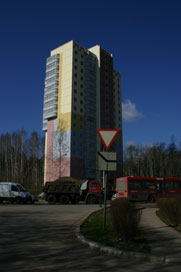
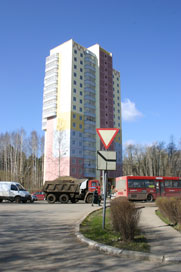
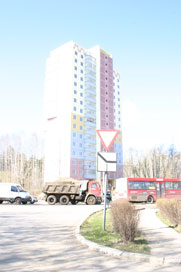
To generate an HDR-image you need a series of shots of the same scene taken with different exposures. It is possible to use Manual mode or Automatic Bracketing mode.

Let's look at the second option in detail. Follow the instruction below to take a series of shots with different exposure settings using automatic bracketing:

  1. Set your digital camera to automatic bracketing mode (AEB). Generally, this mode allows taking three shots: normal, underexposed and overexposed. Some digital cameras allow taking 5 and more shots.

  2. Set the range of exposures for automatic bracketing. We recommend the following values: -2, 0,+2.

  3. Set the ISO parameter to a value not higher than 100; otherwise, the shots may have too much noise, which is difficult to handle.

  4. Select the jpg format.

  5. Set maximum image size.

  6. Select a subject for shooting. When shooting outside you can encounter some problems. The scene is rarely static. If there are people and cars moving, wait till they leave the scene. As for leaves trembling in the wind, there is no way to change it and it is not critical - it will not have a considerable impact on the result. If the trees themselves are shaking, it is better to delay the shooting of the subject, as it may cause the branches to double on the final image.

  7. Set the camera on a tripod or on a stable surface. If you fix the camera, the shift when shooting will be minimized.

  8. Take a series of shots.

  9. Transfer the shots to the computer. Do not alter the photos.

 
AKVIS Enhancer Plug-In AKVIS Enhancer Plug-In
   — Zone de travail — Zone de travail
   — Mode Enhancer — Mode Enhancer
   — Mode Focus — Mode Focus
   — Batch Processing — Batch Processing
AKVIS Enhancer - HDR program AKVIS Enhancer - HDR program
   — Zone de travail — Zone de travail
   — Mode Enhancer — Mode Enhancer
   — Mode Focus — Mode Focus
   — HDR mode — HDR mode
   — High dynamic range image — High dynamic range image
Exemples Exemples
   — Photo sombre d'une église — Photo sombre d'une église
   — Court de tennis — Court de tennis
   — Dans la rue — Dans la rue
   — Enfant dans le jardin — Enfant dans le jardin
   — Tir à l'arc — Tir à l'arc
   — Camion — Camion
   — Chapelle orthodoxe — Chapelle orthodoxe
   — Ville ancienne — Ville ancienne
   — Améliorer la netteté — Améliorer la netteté
   — Oranger — Oranger
   — Photo prise contre le soleil — Photo prise contre le soleil
   — Illustration technique — Illustration technique
   — La ville au crépuscule  — La ville au crépuscule
   — Photo sous-exposée — Photo sous-exposée
   — Un bébé avec un hochet — Un bébé avec un hochet
   — Les enfants de l'Afrique — Les enfants de l'Afrique
   — Raviver photos sans flash — Raviver photos sans flash
   — Enlever le brouillard — Enlever le brouillard
   — Le poète et les pigeons — Le poète et les pigeons
   — Le chat noir — Le chat noir
   — À la campagne (HDR) — À la campagne (HDR)


   Politique de Confidentialité | Plan du Site | Recherche | English  | Français  | Deutsch  | Español  | Português  | Italiano  | 日本語  | Pусский  | © 2004-2008, AKVIS Software Inc. Tous droits réservés.