Restoring Colors To A Photo With AKVIS HDRFactory


Please enter your email to be kept posted on updates and discounts:
 
 
  Products     Download     Online Store     Tutorial     Support     Company      Customer Room
en  fr  de  es  pt  it  jp  ru    
 

Tutorial: AKVIS HDRFactory

Looking For the Missing Color


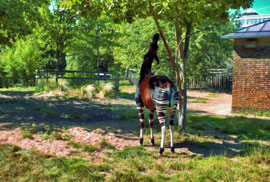
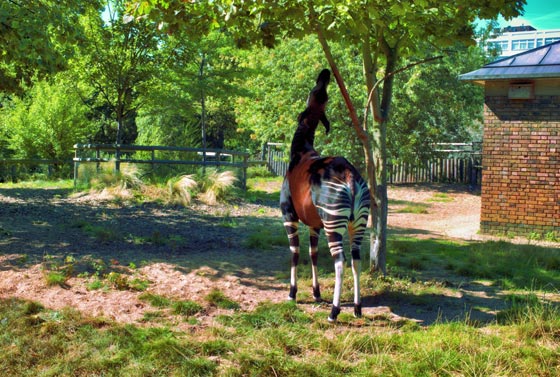
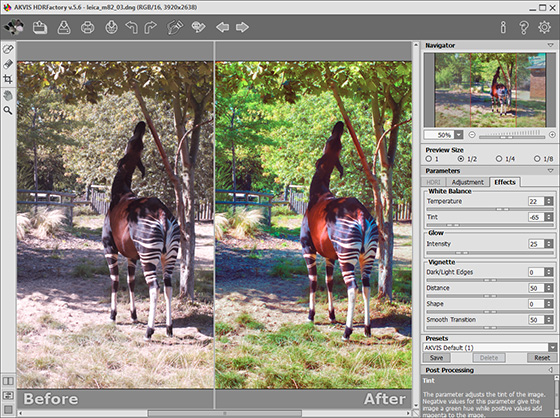
This photograph was taken in a zoo on a sunny summer day. The image was not only discolored but had a purple hue as well. But all is not lost. Since the photo was taken in RAW format, the missing color and brightness of the image actually were preserved. AKVIS HDRFactory can use this information to restore the colors and improve the image.
Original Image Result

Note: Click here to download the original photo.

  • Step 1. Start AKVIS HDRFactory and open the original image. The image will be opened in the Adjustment tab and processed with the default settings.

  • Step 2. Set the parameters as shown below or to your own taste.
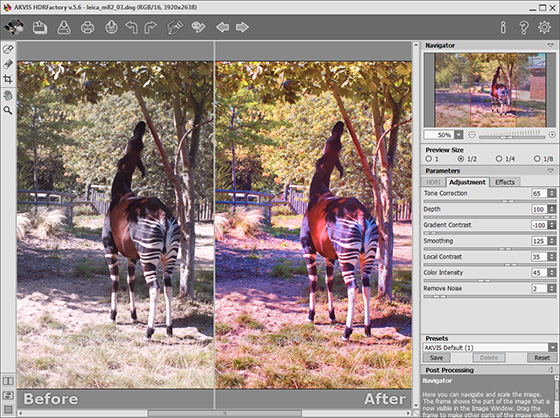
    Processing the Image in the Adjustment Tab
  • Step 3. After adjusting the parameters the image appears to have greater depth, but as an unintended consequence of our corrections, the purple hue is stronger. To correct this go to the Effects tab and adjust the settings under White Balance. Decrease Tint to -75. The green tones in the image are much stronger, which is not bad considering that most of the scenery is green (grass, foliage). Also slightly increase the value of Temperature to make the image warmer.

    Adjust Intensity under Glow to add a glow effect.
    Changing Parameters Under the Effects Tab
  • Step 4. Press to open the Post Processing parameters. Reduce the value of Gamma to 90.
  • Step 5. Save the resulting image.
    Final Result
 
How It Works How It Works
   — What Does HDRI Mean? — What Does HDRI Mean?
   — Shots With Different Exposures — Shots With Different Exposures
   — Workspace — Workspace
   — Working With The Program — Working With The Program
   — Create HDR Images  — Create HDR Images
   — Ghost Removal in HDR Images  — Ghost Removal in HDR Images
   — Adjustment — Adjustment
   — Effects — Effects
   — Post Processing — Post Processing
   — Preferences — Preferences
Examples Examples
   — Highlands Scenery — Highlands Scenery
   — Sunset Beach: HDR Effect — Sunset Beach: HDR Effect
   — Fun Slides in the Countryside — Fun Slides in the Countryside
   — Beautiful Glass — Beautiful Glass
   — Set Sail:  Pseudo-HDR — Set Sail: Pseudo-HDR
   — Changing Reality — Changing Reality
   — Summer Twilight - HDR Landscape — Summer Twilight - HDR Landscape
   — Looking For the Missing Color — Looking For the Missing Color
   — Regatta: Black And White HDR — Regatta: Black And White HDR


back to top


   Privacy Policy | Site Map | Search at AKVIS    
   Contact Us | Twitter | Facebook | YouTube Channel    
| English  |Français  |Deutsch  |Español  |Português  |Italiano  |日本語  |Pусский  | © 2004-2012 AKVIS. All rights reserved.