Newfoundlands From The Sea. Creating a Photo Collage


Ingrese su email para suscribirse a la lista de AKVIS.
 
 
  Productos     Descargar     Tienda online     Tutorial     Apoyo técnico     Compañia      Área de clientes
en  fr  de  es  pt  it  jp  ru    
 

Tutorial: AKVIS Chameleon

Newfoundlands From The Sea


Esta información está disponible solamente en inglés. La version en español aparecerá pronto.

The author of this tutorial is Brigitta Boonen (Germany).


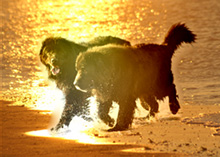
AKVIS Chameleon can be used to place an object on a new background.

    The object, which will be inserted Background Photo Collage
    Original Images Result

Follow these steps:

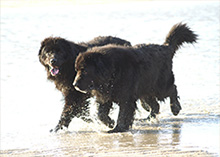
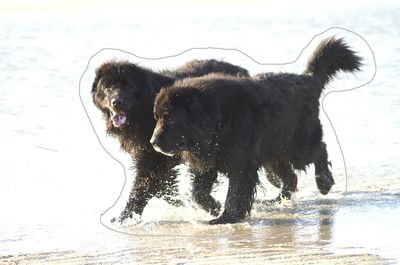
  • Step 1. First, open the photo of the Newfoundlands in your graphics editor and select them with the Lasso tool.
    The object which will be inserted
    Photo of Dogs
  • Step 2. Choose AKVIS -> Chameleon – Grab Fragment from the Filter menu. Soon afterward you will see a message that the selected object has been copied to the clipboard.
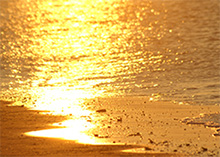
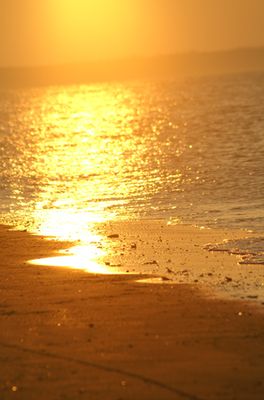
  • Step 3. Open the image in your graphics editor which will serve as the background for the collage.
    Background
    Background

    Next choose Filter –> AKVIS -> Chameleon – Make Collage from the Filter menu.

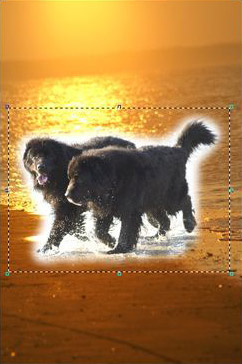
    The workspace for AKVIS Chameleon will open, displaying the background with the selected fragment.

    AKVIS Chameleon Workspace

    Zoom out to the see the whole image. The size and position of the fragment can be changed with the Transform tool.

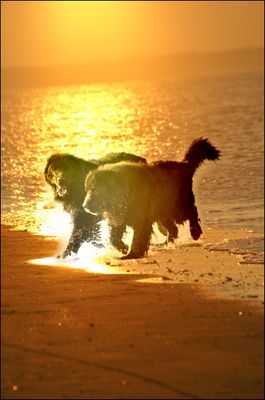
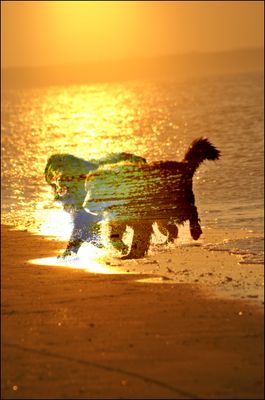
    Then choose Chameleon or Blend mode from the list in the Settings Panel. In these modes not only are the fragment's edges smoothed, the fragment is also adjusted to the background, changing in color and transparency. This makes the collage appear more realistic. The Transparency option makes insertion of the fragment easier by controlling the amount of transparency. The lower the value (from 0% to 100%), the more transparent the fragment appears.

    Press , to see the processing result.
    Chameleon Mode Blend Mode
    Collage: Chameleon Mode Collage: Blend Mode

  • Step 4. If you are satisfied with the result, press , to accept it and close the plug-in window. Save the collage to a file.
 
Cómo funciona Cómo funciona
   — Área de trabajo — Área de trabajo
   — Utilizar el programa — Utilizar el programa
   — Opciones — Opciones
Modo Montaje  Modo Montaje
   — Cazador de fotos — Cazador de fotos
Modo Camaleón Modo Camaleón
   — Yates en el mar — Yates en el mar
   — Cambiar la apariencia — Cambiar la apariencia
   — Hacerse un tatuaje — Hacerse un tatuaje
   — Mono con una máscara — Mono con una máscara
   — Timbre postal — Timbre postal
   — Etiqueta de limonada — Etiqueta de limonada
   — Camaleón en el fuego — Camaleón en el fuego
   — Velero en paisaje marino — Velero en paisaje marino
   — Elefante en la sabana — Elefante en la sabana
   — Ruinas romanas — Ruinas romanas
   — El lago de los cisnes — El lago de los cisnes
   — La vista de la Tierra — La vista de la Tierra
   — Collage con una chica — Collage con una chica
   — La paloma de la paz — La paloma de la paz
   — Muchacha en el ocaso — Muchacha en el ocaso
   — Una tarjeta de felicitaciones — Una tarjeta de felicitaciones
   — Crear un fotomontaje dramático — Crear un fotomontaje dramático
   — Un paisaje rural — Un paisaje rural
Modo Fusionar Modo Fusionar
   — Pintura sobre madera — Pintura sobre madera
   — Tarjeta postal — Tarjeta postal
   — Tarjeta de San Valentin — Tarjeta de San Valentin
   — Paisaje de otoño — Paisaje de otoño
   — La mariposa en el muro — La mariposa en el muro
   — Collage fantástico — Collage fantástico
   — Foto en fuego — Foto en fuego
   — Lechuza en el bosque — Lechuza en el bosque
   — Guindas maduras — Guindas maduras
   — Leopardo para papel de tapiz — Leopardo para papel de tapiz
Modo Emersión Modo Emersión
   — Para Fanáticos del graffiti — Para Fanáticos del graffiti


volver arriba


   Política de privacidad | Mapa Web | Buscar    
   Contáctenos | Twitter | Facebook | YouTube Channel    
| English  |Français  |Deutsch  | Español  |Português  |Italiano  |日本語  |Pусский  | © 2004-2012 AKVIS. Todos los derechos reservados.