Add Color to Old Photo of a Child
You can colorize this photo yourself using the half-finished materials that we give you. Download an archive containing the original image and the file with the strokes (*.strokes). Read the instruction here to see how AKVIS Coloriage AI works with the strokes file.
We are going to colorize a photo that was first restored and retouched AKVIS Retoucher. The retouching process is described here.
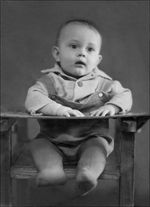 |
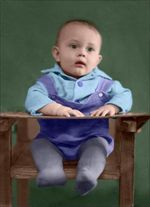 |
-
Step 1. Open the restored photo of a child in your photo editor.
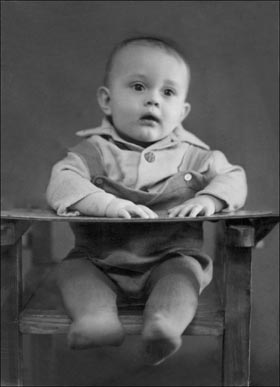
-
Step 2. Call the plug-in AKVIS Coloriage AI: select the AliveColors's menu item Effects – AKVIS – Coloriage AI.
You can use the standalone edition of Coloriage AI if you want.
-
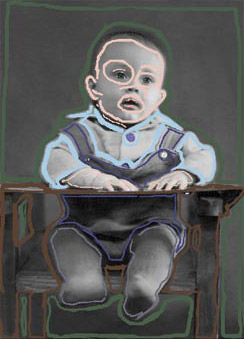
Step 3. Draw an outline within every object with the color chosen for this object.
Select the colors for the child's chair, skin, hair and lips from the Color Library.
When you set the color for the face, you should outline the eyes and the lips. Otherwise, when you set bright colors for these areas, the green of the eyes and the red of the lips will spread to the skin around them.
Do not forget to set a color for the buttons, otherwise the buttons on the shirt will be colorized in the color of the shirt, and the buttons on the suit will have the color of the suit. Outline the buttons with the color of the shirt and the suit accordingly.
-
Step 4. Press the button
 and you will see the colorized photo in the After tab.
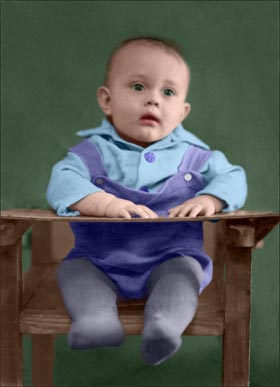
-
Step 5. Press the button
 to apply the colorization result to the photo.
Coloriage AI v. 15.7 - 10日間の評価期間
