Time Goes By Like Water
Sunrises replace sunsets and time goes by like sand through your fingers...
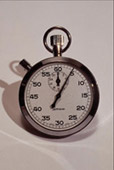
To create a "philosophic" photo collage symbolizing the eternal beauty of nature and the fleetingness of the human life we have chosen two photos: a sunset photo and a stop-watch.
 |
 |
 |
| Source Images | Result | |
In this tutorial we use the plugin version of AKVIS Chameleon in Corel Photo-Paint.
It is possible to take the standalone version and achieve the same result. Just use the pencil tools to make a selection.
We will make the photo collage in the Blend mode. Follow the instructions below:
- Step 1. Open the photos in your photo editor.
- Step 2. First open the image with the stop-watch and activate any selection tool, for example Magnetic Mask Tool.
In the Options palette of the chosen selection tool deactivate the check-box Anti-aliasing.
Outline the stop-watch with the selection tool. Click here to read more about the selection tools in Corel Photo-Paint.
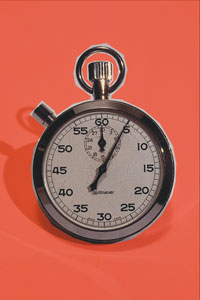
- Step 3. Copy the selected stop-watch into the buffer with the command Effects -> AKVIS -> Chameleon - Grab Fragment in the image editor.
- Step 4. Open the image of the sunset and call the AKVIS Chameleon plug-in using the command Effects -> AKVIS -> Chameleon -> Chameleon - Make Collage. Once the plug-in opens, the image of the sunset will be shown in the image window, with the stop-watch above it.
- Step 5. Select the Blend mode in Settings Panel.
In this mode the program does not only smoothen the borders of the inserted object and adjusts its color range, but it also makes the object semi-transparent, so that the texture and the relief of the primary image can be seen through. Use this mode if you want to “dissolve” the inserted image in the background.
- Step 6. Choose the Transform tool
 and use it to move the stop-watch a little to the left.
- Step 7. Press
 to start processing the collage and then press
  to close the plug-in. The collage is ready.

Chameleon v. 12.2 - 10日間の評価期間

- Step 7. Press