Improve Photographs With AKVIS Refocus: Tutorial


Please enter your email to be kept posted on updates and discounts:
 
 
  Products     Download     Online Store     Tutorial     Support     Company      Customer Room
en  fr  de  es  pt  it  jp  ru    
 

Tutorial: AKVIS Refocus

How It Works


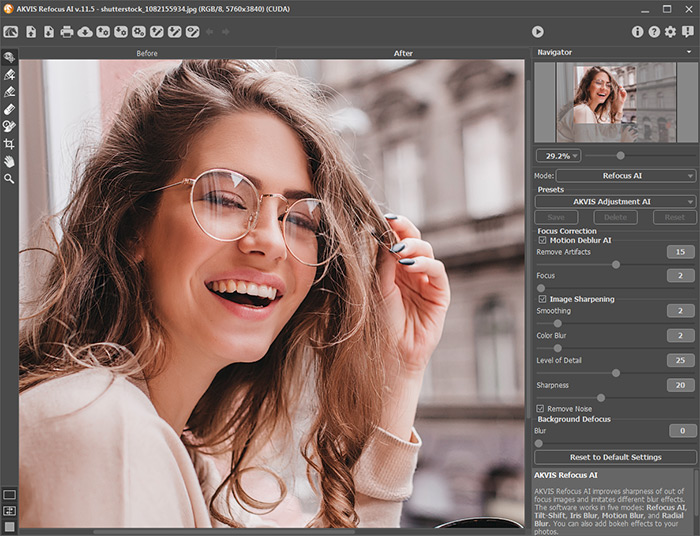
AKVIS Refocus improves sharpness of out of focus images. The program can process the entire photo or bring into focus only the selected part to make the subject stand out against the background. You can also add bokeh and lens blur effects to your photos.

The software works in three modes: Refocus, Tilt-Shift, and Iris Blur.

For more details please read the Tutorial below:


How It Works How It Works
   — Workspace — Workspace
   — How To Use The Program — How To Use The Program
   — Refocus — Refocus
   — Tilt-Shift — Tilt-Shift
   — Iris Blur — Iris Blur
   — Bokeh Shapes — Bokeh Shapes
   — Preferences — Preferences
Examples Examples
   — The Gift of Flowers: Focus Correction — The Gift of Flowers: Focus Correction
   — Look Into My Eyes: Selective Focus — Look Into My Eyes: Selective Focus
   — Refocusing and Texture — Refocusing and Texture
   — Toy World: Tilt Shift Effect — Toy World: Tilt Shift Effect
   — Archery: Shifting Focus — Archery: Shifting Focus


back to top


   Privacy Policy | Site Map | Search at AKVIS    
   Contact Us | Twitter | Facebook | YouTube Channel    
| English  |Français  |Deutsch  |Español  |Português  |Italiano  |日本語  |Pусский  | © 2004-2013 AKVIS. All Rights Reserved.