Look into My Eyes
AKVIS Refocus AI is designed to produce clear images from blurry photos. Even if you think a photo is clear enough you can always choose to improve individual areas, such as the eyes. And who knows what magic will be found in such an appealing gaze?..
It's easy to create a selective focus effect with AKVIS Refocus AI.
-
Step 1. Start AKVIS Refocus AI and open with
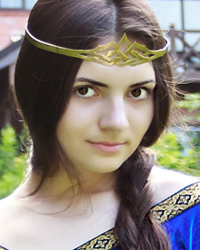
 the photograph of the unknown mysterious smiling princess. The beauty of the girl's face is somewhat dampened by the blurriness of the photo.

Original Image -
Step 2. Select Refocus AI (Image Sharpening) mode. The preview window helps you to select the best options for making the colors more vivid and expressive and the image clearer.
Press
 to process the image:
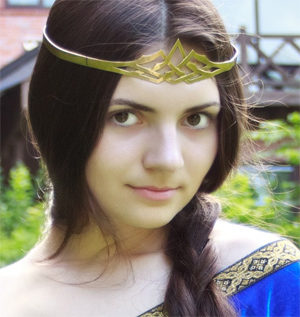
Before Processing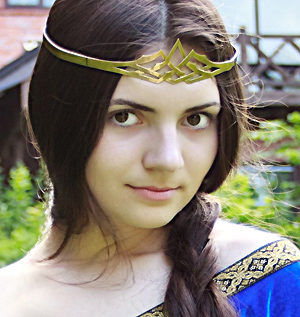
After Processing -
Step 3. The startling clarity with which she emerges from the background detracts somewhat from the overall impression of the photo. To focus just on the eyes, change the processed area: mark areas to be processed in blue using the
 tool, and mark the areas which will not be processed in red using the
  tool. We will also select a dress to make it (especially the decoration pattern) more expressive.
If you wish the red areas can be a little blurred. We will keep them untouched (Blur = 0).
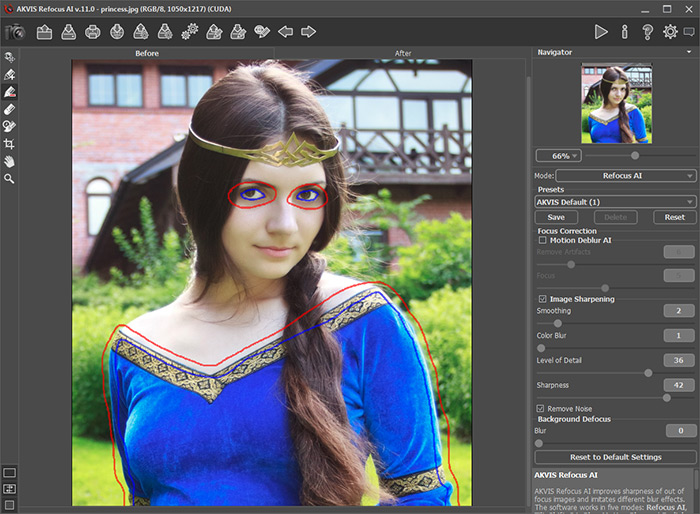
Marking Areas With StrokesPress
to reprocess the image. The result looks very natural and beautiful.
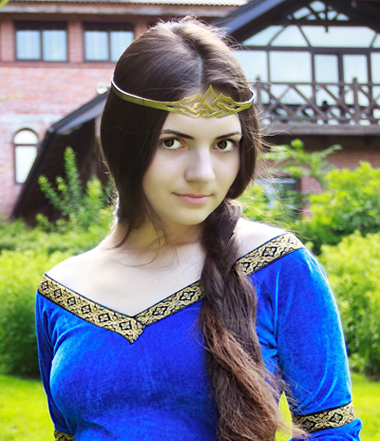
Result

Refocus AI v. 11.9 - Free 10-day Trial
