Changing image resolution in Adobe Photoshop
You may need high resolution images for printing.
To change the image resolution in Adobe Photoshop follow the instructions:
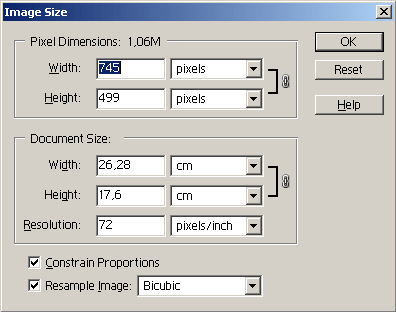
- Step 1. Select the command Image - Image Size from the Adobe Photoshop menu.
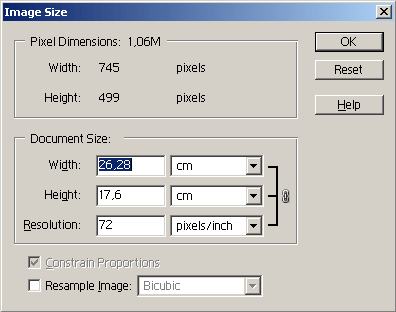
- Step 2. Select the option Resample Image, if you want to keep the image dimensions (Document Size).
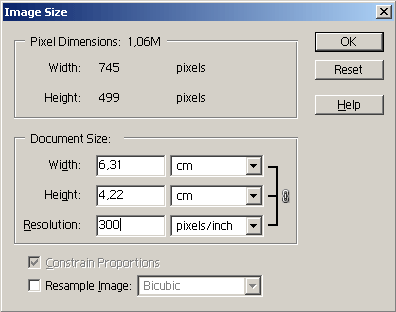
If you want to keep the total amount of pixels (Pixel Dimensions), you should un-check this option. In this case the width and the height will change in such a way that the total amount of pixels will stay the same.
- Step 3. Enter a new value for resolution into the field Resolution (which defines how many pixels per inch your image will have).
- Step 4. Press the button OK.