Professional Portrait: Cover Girl
AKVIS Noise Buster AI can be helpful not only for the "noisy" images enhancement but for improving the quality of shots as well. You can apply it to portraits to smooth the skin of a model.
In professional portrait photography, they often use special softening filters that smooth small wrinkles and mask minor skin defects.
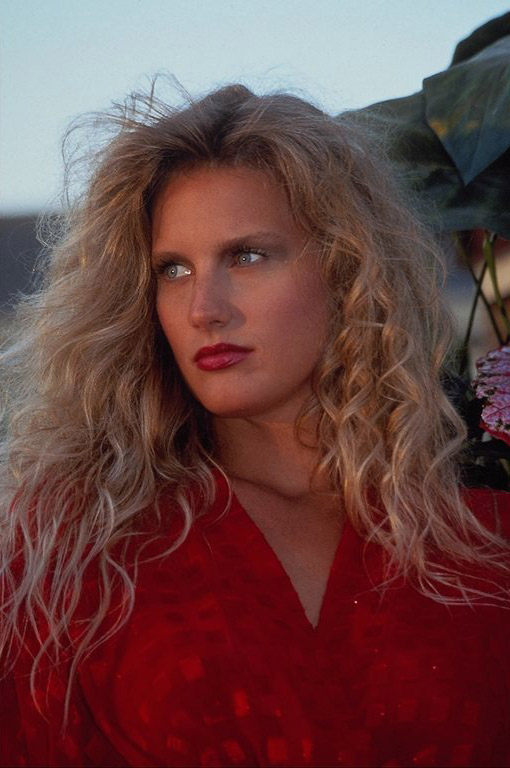
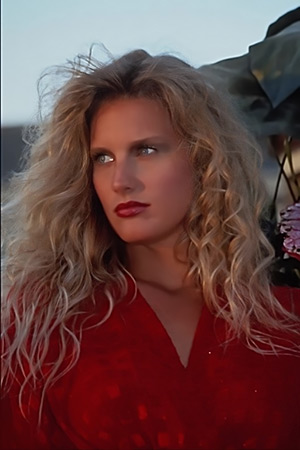
Original Image

Result
At first glance, the photo seems pretty good. However, if we increase the scale of the image we can see the unevenness of the skin that spoils the impression from the shot.
AKVIS Noise Buster AI will help us to smooth the skin and create a "cover-girl" effect.
The software is available as a standalone program or a plug-in. We will use the standalone version.
- Step 1. First, open the image in AKVIS Noise Buster AI with the
 button.
The program processes the image using the default settings. The result is shown in the quick preview area in the Before tab.
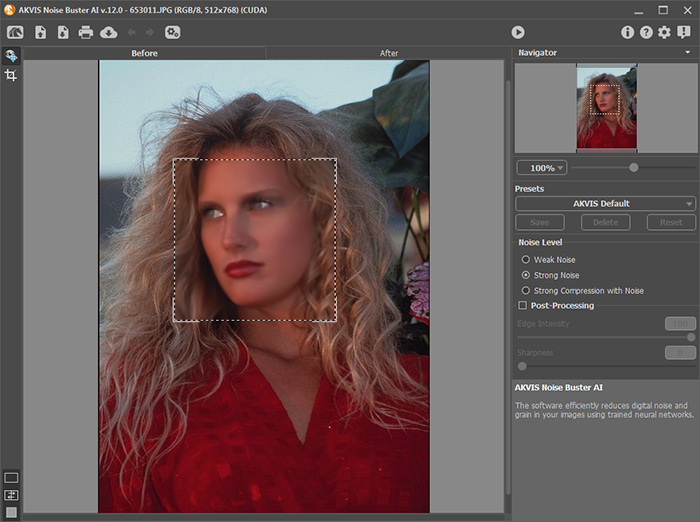
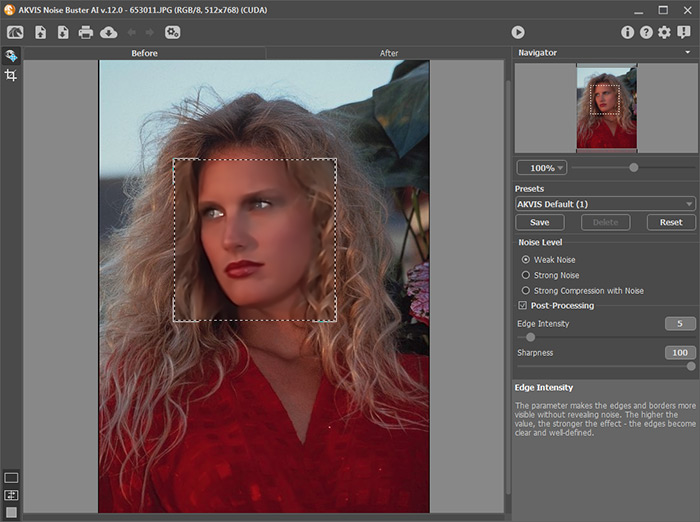
- Step 2. After processing with the default settings, the girl’s eyes look “foggy”, and her hair becomes blurry.
Adjust the parameters to minimize blurring.
- Step 3. We are satisfied with the result of filtering in the preview area and apply it to the whole image with the
 button.
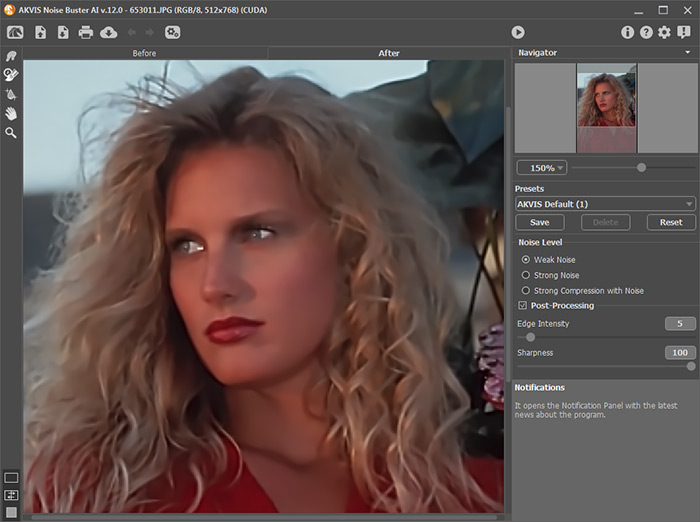
Hint: If necessary, you can restore some details (eyes, hair) using the History Brush
 . Adjust the strength of the effect of the tool and process the areas.
- Step 4. Finally, press
 to save the image.
Pay attention to the girl's skin, now it is smooth and even!
This photo could be published in a fashion magazine.
Noise Buster AI v. 13.2 - Free 10-day Trial
