ストロークの保存と読み込み:作業途中のイメージを使用
AKVIS Coloriage AIを使ってイメージの色付けを行う際、定期的に.strokes 拡張子のファイルに保存するようお勧めします。これにより、何かの理由で作業データが消えた場合などに、最初から作業する必要がなくなります。
色のストロークを保存するには、 をクリックして、フォルダーとファイル名を指定します。後でストロークを読み込みたい場合は、
 をクリックして、続きから作業を続けることができます。
充電不足などの理由により急にPCの電源が落ちた場合などに備え、 ボタンを押すたびにcoloriage-autosave.strokesというファイルに自動的にストロークが保存されます。
自動的に保存されたファイルの保存先は以下の通りです。
C:\Users\Public\Documents\AKVIS (Windows の場合)
HD/Users/Shared/AKVIS (Mac OS の場合)
ストロークの保存は、プログラムの使い方のヒント等を他のユーザーと共有する方法でもあります。
作業途中のイメージを使用した色付け作業の方法を紹介します。
- ステップ 1:元のイメージと .strokes が保存されているアーカイブをダウンロード後解凍します。
- ステップ 2:画像を開きます。
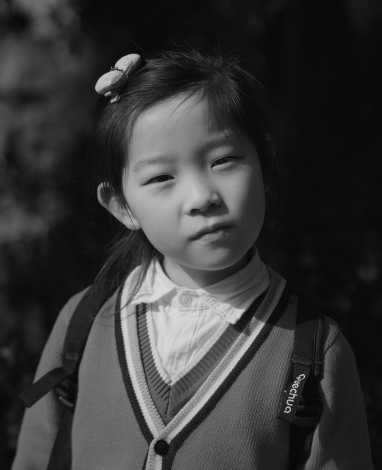
- ステップ 3: をクリックし、.strokes ファイルをを選択して [開く]をクリックします。
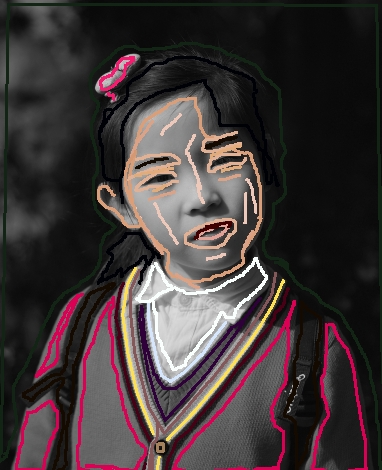
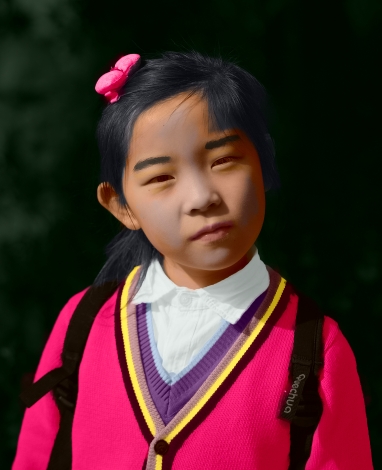
- ステップ 4: をクリックすると、[処理後]タブに色付け結果のイメージが表示されます。
- ステップ 5:希望であれば、イメージの色を変更することもできます。そのためには、[処理前]タブに移動し、[チューブ]
 または[マジックチューブ]
  を使います。[チューブ]は、1つのストロークの色のみ変更しますが、[マジックチューブ]は特定の色で描かれているすべてのストロークの色を変更します。
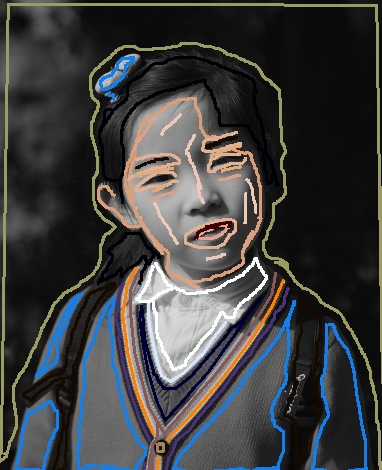 を再度クリックします。
注意: アーカイブ内のストロークは、元のイメージの比率(幅 x 高さ)に対応しています。元のイメージの比率を変えた場合、ストロークはイメージに合わないことになります。
以下のアーカイブをダウンロードして、簡単に画像を色付けできます。
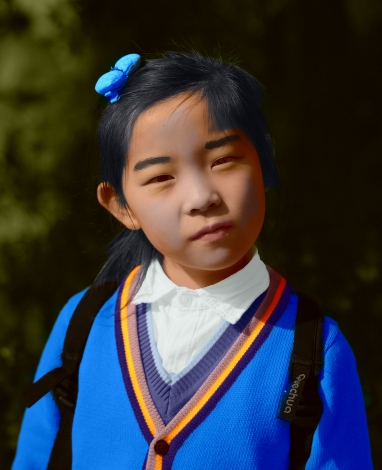
baby-photo.zip、boy-picture.zip、car-color.zip、family-photo.zip、girl-portrait.zip、
house-color.zip、interior.zip、pool-swimmers.zip、postcard.zip、settlers.zip
Coloriage AI v. 15.7 - 10日間の評価期間
