Colorize your memories
You can colorize this photo yourself using the half-finished materials that we give you. Download the archive containing the original image and the strokes file (*.strokes). Read the instruction here to see how AKVIS Coloriage AI works.
 |
 |
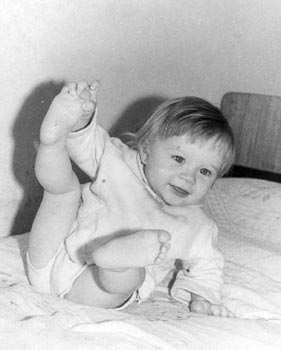
This photo was taken at a time when color photos where not so widespread, while black and white photography was available to everyone.
However, black and white photos can not convey the atmosphere of that time: the color of the wallpaper where you drew your first picture, the colors of your favourite blanket, the teddy bear that you loved so much.
Now you can take your black and white photo and use your memory to add colors to your recollections.
-
Step 1. Open the photo.
-
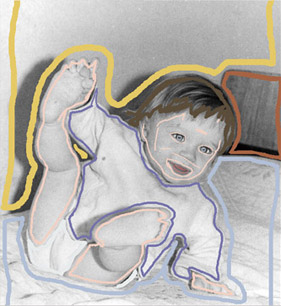
Step 2. Draw an outline within every object with the color you have chosen for it.
-
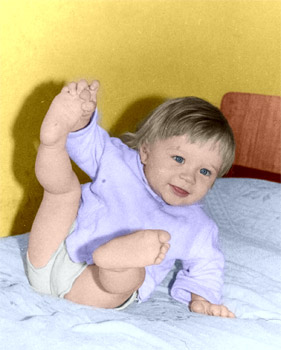
Step 3. Press the button
 and you will see the colorized photo in the After tab.
Coloriage AI v. 15.7 - 10日間の評価期間
