AKVIS Enhancer 17.8 | Bring Detail To Your Pictures
AKVIS Enhancer is image enhancement software that offers an individual approach to every part of the photo! The program uses a fast method to fix a dark picture, improve detail on an image, increase contrast and brightness, and adjust tones.
If you take a photo of a black cat in a dark room the result can be far from ideal. Or if you make a photo of a beautiful view but the automatic settings focus on the sky and the shot comes out with uneven exposure - the sky is beautiful but the scenery is underexposed and one can hardly understand what is going on.
AKVIS Enhancer will fix your photo in seconds! True to its name, the program improves detail on an image, no matter what was the cause of the unsharpness.


The software works in three modes: Improve Detail, Prepress, and Tone Correction. The main goal for these modes is the same - image enhancement, but the methods and the results are quite different. Different photos require different approaches at correction, in many cases the modes complement one another.


In Improve Detail mode, the program brings out details on an image by intensifying color transition. It strengthens the difference between adjacent pixels having different color gradations and allows revealing details in both shadows and highlights. This method is useful when you need to correct a photo with an uneven exposure or made in poor lighting conditions, get rid of haze or add a dramatic effect. It is the fastest and easiest way to fix dark pictures.


In Prepress mode, the program helps to adjust photos before printing or publishing online. Use this mode to increase the sharpness of borders and the contrast of the image. Even a high quality photo needs prepress processing that will give it a professional look.

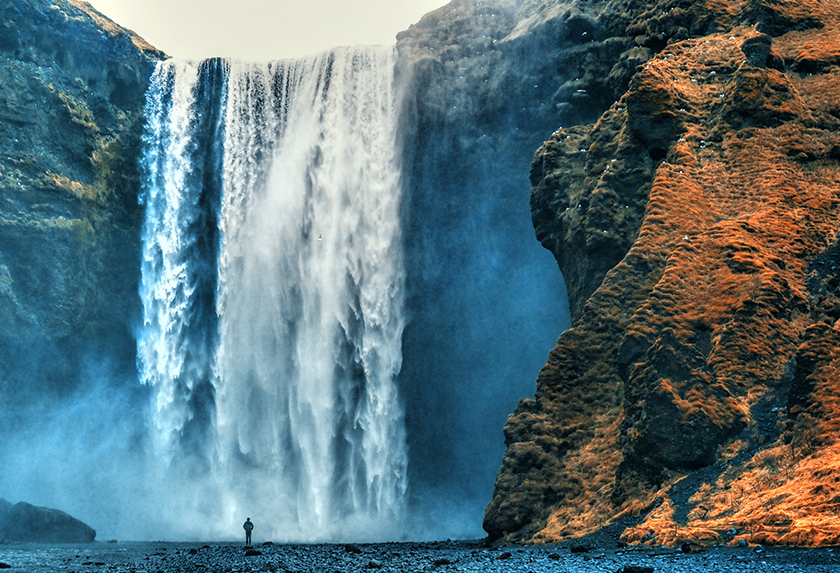
In Tone Correction mode, the program makes corrections of the image brightness in light and dark areas. As a result the overall impression of the image improves considerably. Changes can be made to the entire image or only to selected colors.
Brighten up your pictures with AKVIS Enhancer!


AKVIS Enhancer is easy to use and learn. You can save frequently used settings as Presets and use them in the future. It optimizes your work and saves you time.
The program supports Batch Processing that lets you automatically process a series of images with the same settings.


The software is useful not only for correction of family and art photos, but can be efficient as well in technical use. Publishers of technical literature can apply Enhancer to show equipment illustrations in detail; doctors can use Enhancer to increase the level of detail on roentgenograms, etc.


The software is available as an independent standalone program and as a plug-in to photo editors. More…
Both versions work in all three modes, but the standalone app also includes additional photo editing features - the Post Processing settings for further image correction: brightness, contrast, gamma, and saturation.
The plugin is compatible with AliveColors, Adobe Photoshop, Corel PaintShop Pro, etc. Check the compatibility.
During the trial period you can try all features of the software.
The software offers a multi-language user interface.
Try all the features of the software during the free 10-day evaluation period.
You do not need to register. Just download the full version and start your Free Trial!
Download the program now to take advantage of its features!
- AKVIS Enhancer 17.8 — Windows 64-bit (Plugin+Standalone)
- AKVIS Enhancer 17.8 — Windows 32-bit (Plugin+Standalone)
- AKVIS Enhancer 17.8 — Mac 64-bit (Standalone)
- AKVIS Enhancer 17.8 — Mac 64-bit (Plugin)
- Installation on Linux 64-bit (Standalone)