Uma foto romântica
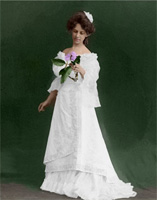
O exemplo foi feito no modo Clássico de AKVIS Coloriage AI e demonstra os recursos deste modo.
A colorização de uma simples foto preto e branco não levará muito tempo. Será necessário contornar cada objeto que deseja colorir com a cor que escolheu para ela. O essencial é escolher a cor certa para a foto parecer natural. Você vai amar o resultado.
-
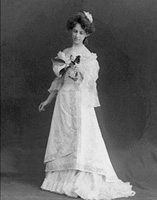
Passo 1. Abra a foto preto e branco de uma garota com um lilás em seu editor de foto.
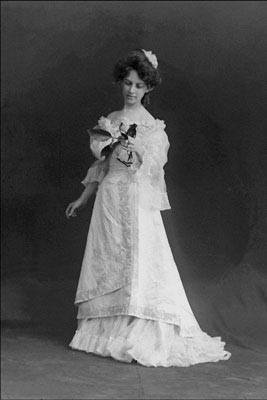
- Passo 2. Chame o plug-in AKVIS Coloriage AI e no AliveColors selecione no menu o item Effects –> AKVIS –> Coloriage AI; e no Adobe Photoshop selecione o item Filtro –> AKVIS –> Coloriage AI; e no Corel Photo-Paint do menu o item Efeito –> AKVIS –> Coloriage AI.
-
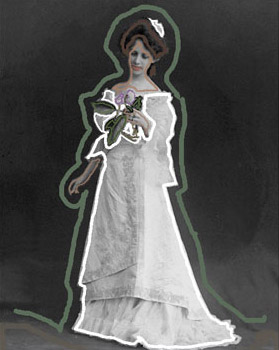
Passo 3. Use a ferramenta Lápis
 para selecionar a cor e trace um contorno no objeto apropriado com a cor escolhida.
Não se esqueça de determinar a cor para os pequenos detalhes, por exemplo, para a haste e as pétalas do lilás na mão da moça. De outra forma, serão coloridos com a cor das áreas adjacentes, no caso – a cor do vestido.
Selecione a cor dos lábios, pele e cabelo na Biblioteca de cores.
-
Passo 4. Pressione o botão
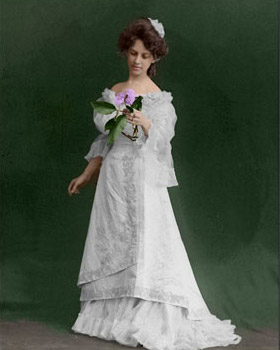
 . A imagem colorida será exibida na aba Depois.
-
Passo 5. A imagem colorida parece bom, mas não estamos satisfeitos com a cor do vestido. Nós estabelecemos uma cor branca para ele, mas ele saiu cinza sujo. Isso aconteceu porque o programa ajusta a cor escolhida para a escala de cinza da imagem original.
Para pintar o vestido em branco, deveríamos mudar a gama de brilho dos traços brancos.
Selecione a cor branca da paleta de cores (ou clique com a ferramenta Conta-gotas
 em um dos traços brancos na imagem), mova o marcador preto na parte inferior do gradiente sob a Biblioteca de cores para a direita.

Ative a ferramenta Tubo mágico
 e clique em qualquer traço do vestido. Agora, os cursos têm a mesma cor, mas uma nova gama de luminosidade.
-
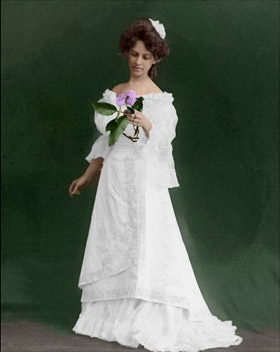
Passo 6. Pressione o botão . Agora, o vestido tem uma cor branca. Como não definir uma cor clara para o marcador preto, as sombras são bem vistas.
-
Passo 7. Pressione o botão
 to para aplicar o resultado colorização à imagem.
Coloriage AI v. 15.7 - Teste gratuito 10 dias
