A Black Cat in a Dark Room
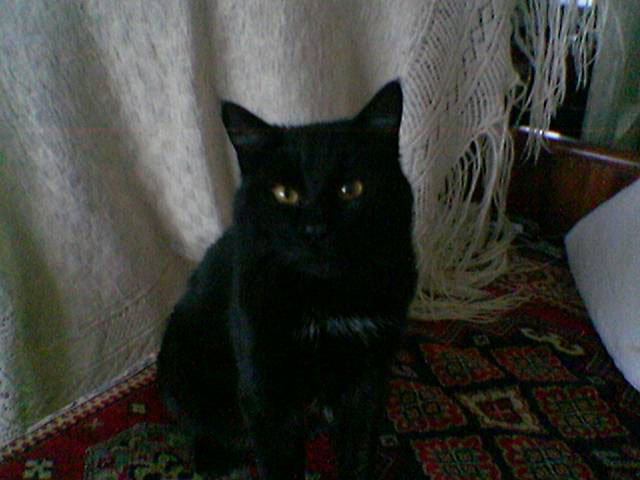
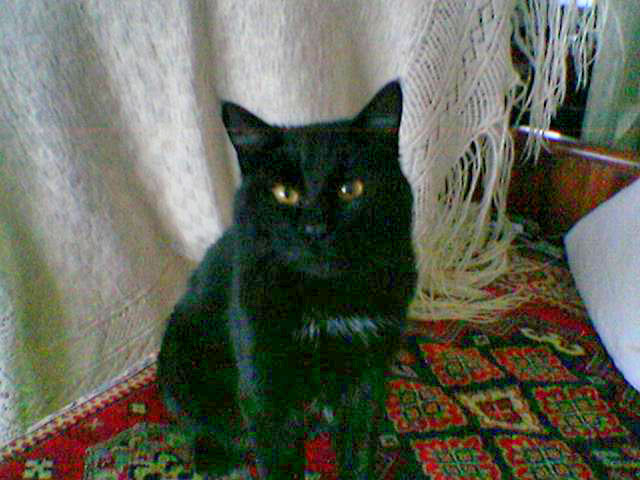
Have you ever tried searching for a black cat in a dark room? A difficult task. The author of the snapshot managed not only to find the cat but even take a photo of it with the built-in camera of his mobile phone. However, the quality of the photo is poor due to bad lighting. We will resort to the help of AKVIS Enhancer (Improve Detail) to shed light upon the black cat.
|
|
| Before | After |
As the photo is dark we should increase the value of the parameter Lightness. We reveal the details in the shadows while the details in the light parts of the image are not affected.
This mobile photo was of bad quality and the detail enhancement also revealed color noise in the dark areas. To get rid of noise you can apply AKVIS Noise Buster. See the Tutorial to learn how it works.
Enhancer v. 17.8 - 10日間の評価期間
