Colorizing an anime girl
This colorization tutorial has been sent to us by Laval Yan.
In the previous tutorials we used the AKVIS Coloriage AI plug-in to colorize black and white photographs. Laval Yan found a new way of using the software - he applied it to add color to hand sketch drawings.
To create the tutorial Laval Yan did the following:
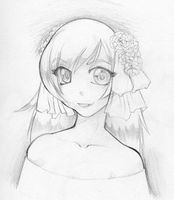 |
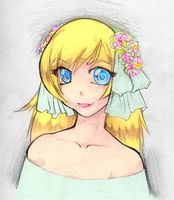 |
-
Step 1. He found a free anime style drawing on the net.
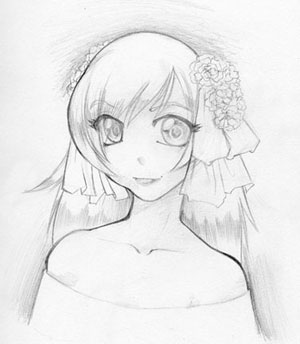
- Step 2. He opened the picture in Adobe Photoshop and called the plug-in AKVIS Coloriage AI.
-
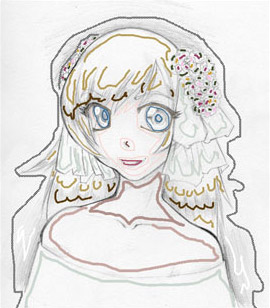
Step 3. He chose colors for every detail of the anime picture using the Pencil tool
 .
.
He selected the colors for the skin, hair and lips from the Color Library. Take into account, that when you set color for the face, you should outline the eyes and the lips. Otherwise, the blue of the eyes and the red of the lips will spread to the skin around.
He set two colors for the hair - a dark and a bright one. Besides, the strokes were not straight but zigzag.
He set a number of colors for the flowers in the anime girl's hair.
-
Step 4. Press the button
 to see the result.
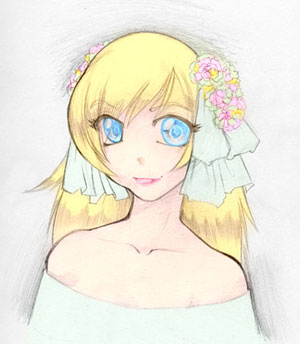
-
Step 5. Press the button
 to apply the colorization result to the picture.
-
Step 6. However, the colors of the picture are pale as it is drawn with a pencil on a white canvas. To make the picture more expressive Laval Yan selected the menu item Image - Apply Image and in the "Apply Image" window he set the mode Multiply for the Blending parameter and pressed the button OK.
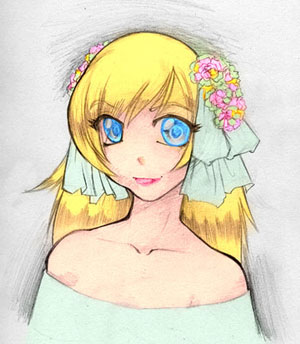
You can use this technique to colorize sketches in manga and anime styles as well as any other drawings.
Read more tips to create realistic colorizations with AKVIS Coloriage AI.
Coloriage AI v. 15.7 - 10日間の評価期間
