AKVIS Magnifier Tutorial: Image Resizing Software


Please enter your email to be kept posted on updates and discounts:
 
 
  Products     Download     Online Store     Tutorial     Support     Company      Customer Room
en  fr  de  es  pt  it  jp  ru    
 

Tutorial: AKVIS Magnifier

How It Works


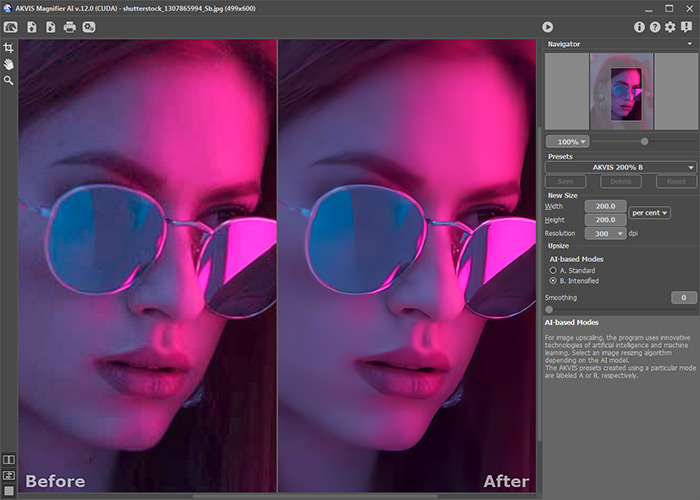
AKVIS Magnifier upscales digital images with advanced enlargement algorithms, preserving edge to edge image sharpness while improving image appearance by removing unwanted noise and compression artifacts.

AKVIS Magnifier makes it easy for anyone to produce professional-looking photos. It is easily configurable and allows fine-tuning the resulting photo by allowing complete control over the image sharpness and edges. Home users can apply the program to enlarge photos taken from Internet or images taken with a low-resolution camera.

The software is available in two editions: as a standalone program and as a plugin to a photo editor.

Learn how to use the program by reading our Tutorials.

How It Works


Also, you can download the Userguide as PDF.


Watch a flash movie demonstrating the technique of image resizing with AKVIS Magnifier.


How It Works How It Works
   — Workspace — Workspace
   — How To Use The Program — How To Use The Program
   — Preferences — Preferences
   — Batch Processing — Batch Processing
Examples Examples
   — Funny Fleas — Funny Fleas
   — Tom Thumb: Increasing Resolution — Tom Thumb: Increasing Resolution
   — Upstairs: Image Enlargement — Upstairs: Image Enlargement
   — Hunting For The Latest Sensation — Hunting For The Latest Sensation


back to top


   Privacy Policy | Site Map | Search at AKVIS    
   Contact Us | Twitter | Facebook | YouTube Channel    
| English  |Français  |Deutsch  |Español  |Português  |Italiano  |日本語  |Pусский  | © 2004-2012 AKVIS. All rights reserved.