Um lápis delineia: um auto retrato
O Tutorial foi criado por Alexander V. Sidorenko no Adobe Photoshop.
Alexander aplicou AKVIS Coloriage para colorir o auto-retrato de um artista Germano Hans Baldung, desenhado em 1534, com a idade de 49 anos.
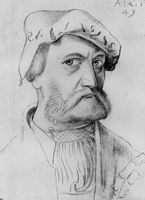
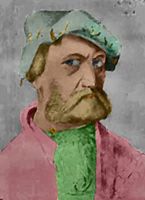
Alexander Sidorenko escreveu o seguinte sobre o tutorial:
"Eu admiro a pintura de artistas medievais; eu tenho uma coleção de imagens representando as obras primas do mundo. No tutorial para o plug-in AKVIS Coloriage eu vi o exemplo Colorir uma imagem animada e decidi aplicar a técnica na velha obra prima. Eu não sou um artista, e as cores podem não ser bem escolhidas, então aceite a como é e julgue você mesmo."
Para colorir uma foto Alexander Vladimirovich fez o seguinte:
-
Passo 1. Ele abriu o lápis desenho em um editor de foto.
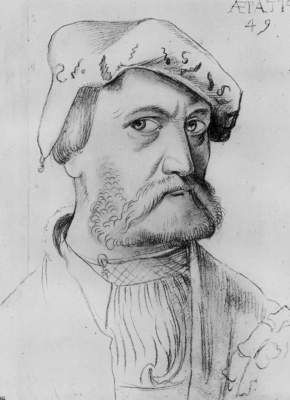
- Passo 2. Ele chamou o plug-in AKVIS Coloriage pela seleção do comando AKVIS -> Coloriage o item do menu Filtro (Filter).
-
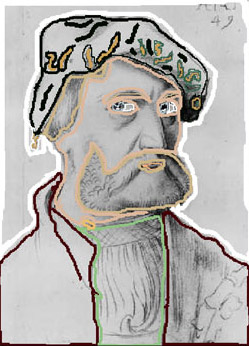
Passo 3. Na janela do plug-in ele usou a ferramenta Lápis
 para designar a cor para cada objeto desenhando um contorno entre ele. Consulte o tutorial básico para aprender como desenhar um traçado eficientemente.
-
Passo 4. Ele pressionou o botão
 e a foto colorida apareceu na aba Depois.
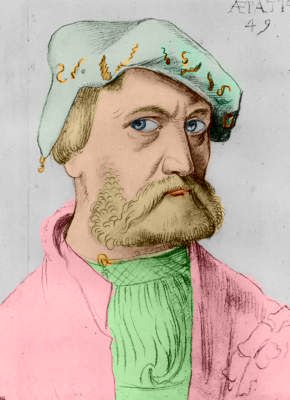
-
Passo 5. Ele pressionou o botão
 para aplicar o resultado do colorido e fechar o plug-in.
-
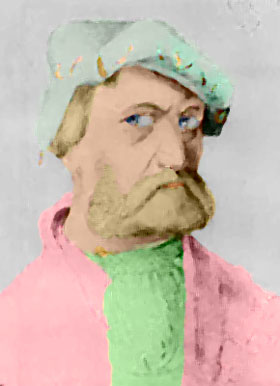
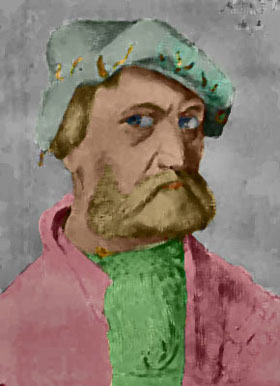
Passo 6. Agora temos um retrato colorido, mas podemos continuar editando a imagem. Alexander se ofereceu para imitar uma pintura a óleo e aplicou o filtro Artistic -> Paint Daubs (Photoshop) com os seguintes ajustes: Wide Blurry, Tamanho do pincel (Brush Size) = 3 e Suavidade (Sharpness) = 1. Então ele escureceu a foto com o comando Sombra/Luminosidade (Shadows/Highlights).
Coloriage AI v. 15.7 - Teste gratuito 10 dias
