Colorindo uma imagem animada
Esta colorização nos foi enviada por Laval Yan.
No tutorial anterior usamos o plug-in AKVIS Coloriage AI uma fotografia branca e preta. Laval Yan achou uma nova maneira para usar o programa – aplicou-o para adicionar cor a desenhos traçados a mão.
Para criar o tutorial Laval Yan fez o seguinte:
-
Passo 1. Encontrou na net uma imagem animada desenhada a mão.
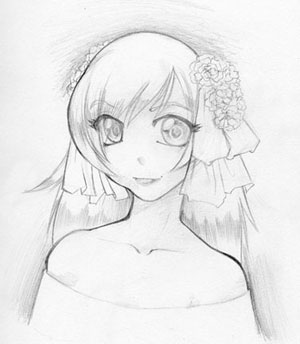
- Passo 2. Abriu a foto no Adobe Photoshop e chamou o plug-in AKVIS Coloriage AI.
-
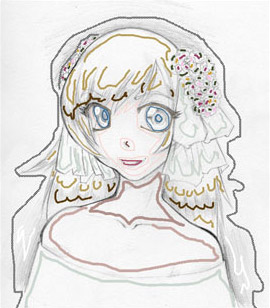
Passo 3. No modo Clássico, escolheu as cores para cada detalhe da foto animada usando a ferramenta Lápis
 .
.
Selecionou a cor para a pele, cabelo e lábios da Biblioteca de cores. Levando em conta que quando se estabelece cor para a face, deveria contornar os olhos e os lábios. De outra forma, o azul dos olhos e o vermelho dos lábios se espalharão pela pele em volta.
Ele fixou duas cores para os cabelos – uma escura e uma brilhante.
Fixou um numero de cores para as flores no cabelo da garota animada.
-
Passo 4. Pressione o botão
 para ver o resultado.
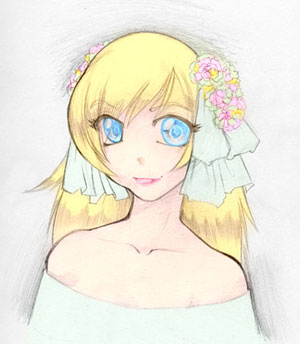
-
Passo 5. Pressione o botão
 para aplicar o resultado da colorização á fotografia.
-
Passo 6. Contudo, as cores da foto estão pálidas, porque foram desenhadas com um lápis em uma tela branca. Para fazer a foto mais expressiva Laval Yan selecionou no menu o item Imagem –> Aplicar Imagem (Image -> Apply Image) e na janela Aplicar Imagem fixou o modo Multiplicar para Misturar o parâmetro e pressionou o botão OK.
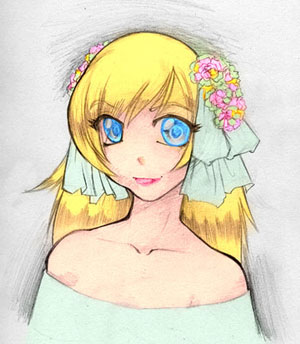
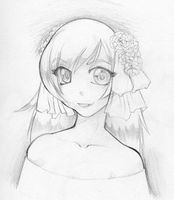
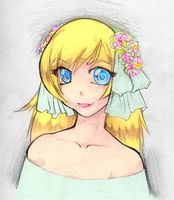
Esta técnica pode ser utilizada para colorir desenhos a lápis imagens, mangas e desenhos animados bem como qualquer outro desenho.
Leia mais dicas para criar coloridos realisticos com o AKVIS Coloriage AI.
Coloriage AI v. 15.7 - Teste gratuito 10 dias
