Uma téquinica da colorização e substituição de cor
O exemplo foi feito por S. I. Serikov no Adobe Photoshop.
AKVIS Coloriage possibilita alcançar um excelente resultado quando colorindo foto preto e branco. Mas sendo um perfeccionista, o Sr. Serikov quis alcançar o melhor resultado possível.
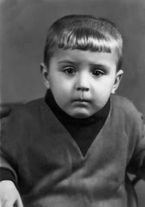

Neste tutorial o autor nos diz como fazer uma foto mais vivaz.
Ele coloriu uma foto tirada nos anos 60.
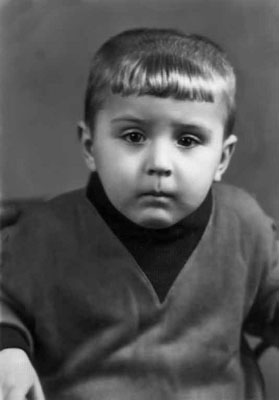
Primeiro, colorimos o retrato com o plug-in AKVIS Coloriage:
- Abrimos o retrato no Adobe Photoshop e chamamos o plug-in AKVIS Coloriage.
- Trace um contorno dentro de cada objeto seguindo com a cor escolhida para ele.
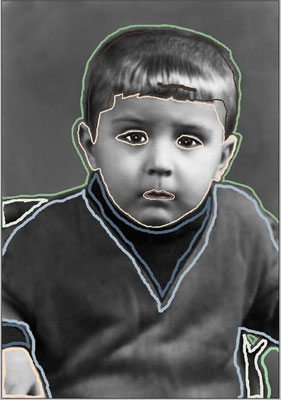
- Pressione o botão
 para começar o processo de colorização.
 - Aplicamos o resultado à foto pressionando o botão
 .
.
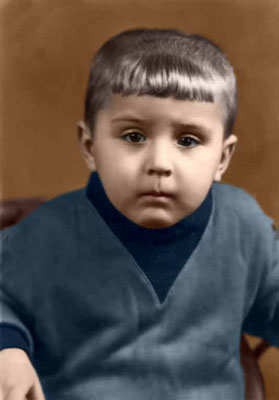
O autor decidiu retocar a imagem: chamou de comando Substituir cor (Replace Color) do Adobe Photoshop e adicionou algumas tonalidades azuis ao pulôver para tornar a cor mais vivaz.
Aqui estão as instruções:
- Selecione o comando Imagem –> Ajustes –> Substituir Cor (Image -> Adjustments -> Replace Color) no Adobe Photoshop.
- Use a ferramenta Conta gota para colher uma cor azul escuro do ombro do garoto.
- Ajuste o parâmetro Imprecisão (Fuzziness) que de tal forma que na Janela de seleção (Selection Window) somente o pulôver possa ser visto.
- Ajuste a Tonalidade (Hue) dos parâmetros de Saturação (Saturation).
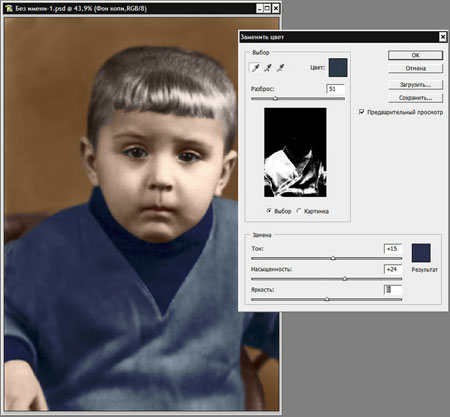
- Aplique o resultado pressionando o botão OK.
Abaixo há duas imagens: à esquerda esta o retrato do garoto bem apos a colorização, à direita esta o mesmo retrato depois de aplicar a Substituir cor (Replace Color) comando do Adobe Photoshop. Depois do comando da Substituir cor a foto se tornou muito mais interessante como o pulôver do garoto agora tem mais sombras da cor azul.
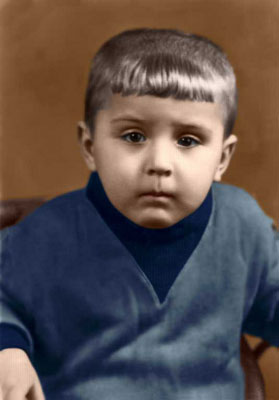
Esta técnica pode ser usada para adicionar sombras de cores às fotos coloridas pelo plug-in AKVIS Coloriage. Pode experimentá-lo com retratos bem como com foto natureza para adicionar novos tons para as folhas, grama, etc.
Coloriage AI v. 15.7 - Teste gratuito 10 dias
