Graphic software for Windows Mac graphic software
Inserisci la tua e-mail per essere informato delle novità:
 
  
  Prodotti     Download     Online Store     Tutorial     Supporto     Chi siamo
en  fr  de  es  pt  it  jp  ru    
 

Tutorial: AKVIS LightShop

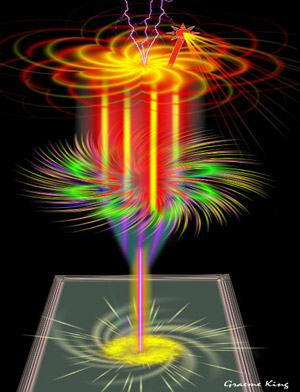
Fantastic cocktail


Siamo spiacenti, questa pagina al momento è disponibile solo in lingua inglese.
La versione italiana sarà presto disponibile.
Se desiderate ottenere la licenza per la traduzione per favore scriveteci.

The author of this example is Graeme King.

This example was made in Corel Paint Shop Pro XI, but you can use any photo editor compatible with AKVIS plugins.

Graeme King creates his wonderful pictures using only AKVIS LightShop plugin.

Here is one of this picture:
Result
Click to open in the new window.


Let's create such a wonderful picture!

  • Passaggio 1. Open your photo editor and make a new document.

    Create a new layer. We need to color the background image into black to make our image visible.

  • Passaggio 2. Let's make a base for our glass.

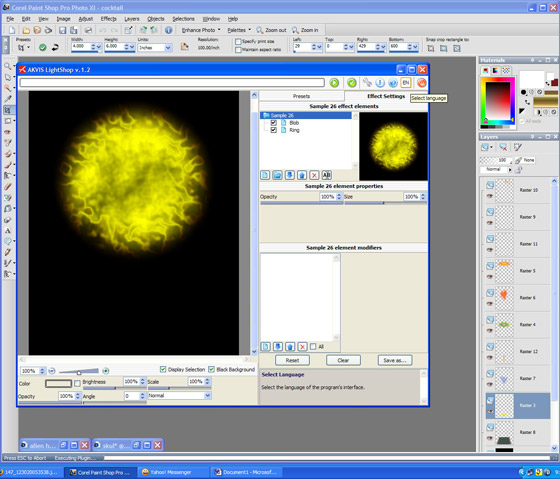
    Firstly create a new layer and call AKVIS LightShop. Choose Sample 26 and press the button Run.

    AKVIS Ligtshop window. Make a base

    Press the button apply to apply the result and close the plugin window.

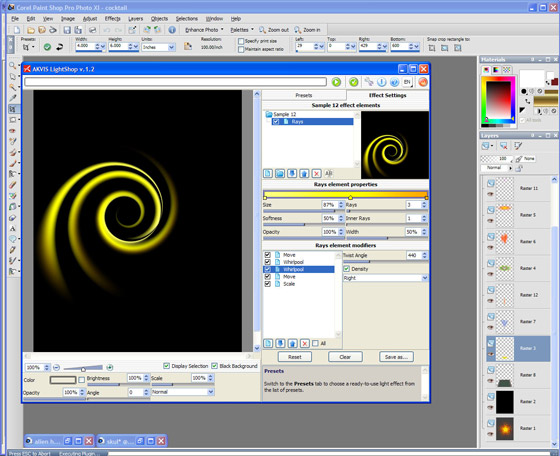
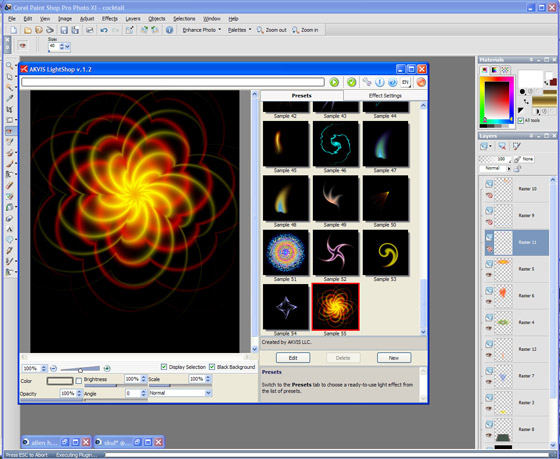
  • Passaggio 3. Call AKVIS LightShop again and choose another preset (Sample 12) Change the setting as you like and press the button Run.
    AKVIS Lightshop window. Make a base

    Apply the result by pressing the button Apply.

  • Passaggio 4. Change the propotions and position of the image to create a base.
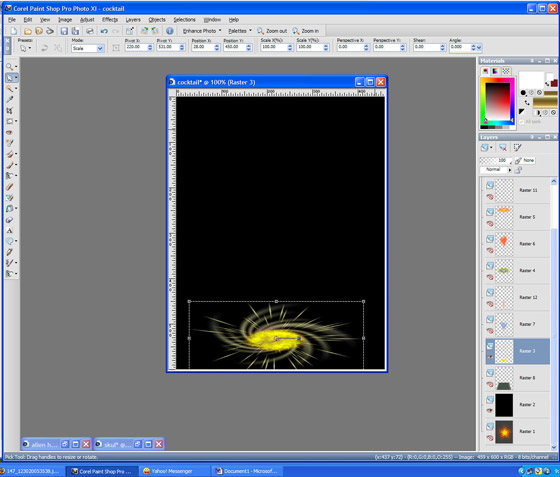
    Change the settings to make a base
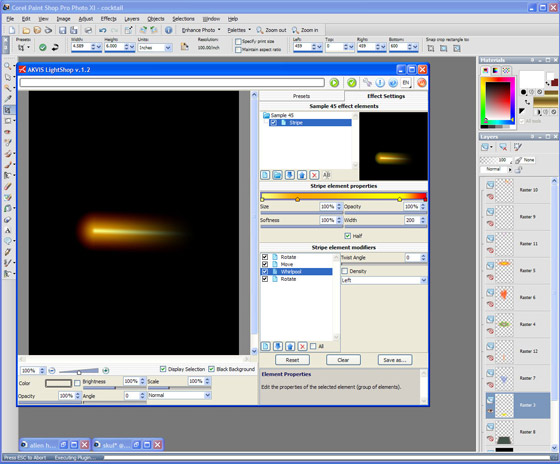
  • Passaggio 5. Now we have to make a stem. Again call AKVIS LighShop and choose Sample 45. Change the settings and press the button Run.
    Make a stem

    Change the settings and apply the result by pressing the button Apply.

  • Passaggio 6. We need to make a tray and a glass.
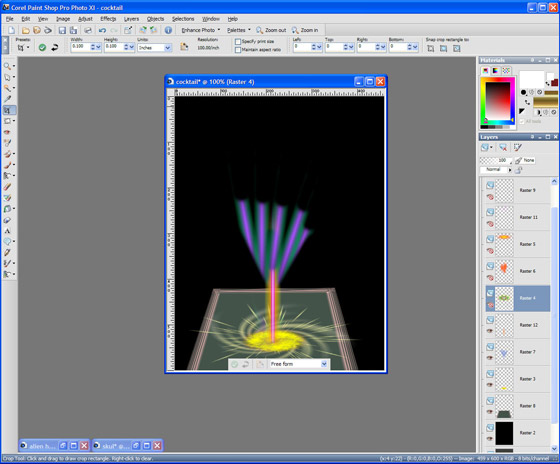
    Make a tray
  • Passaggio 7. Now we have to decorate our glass
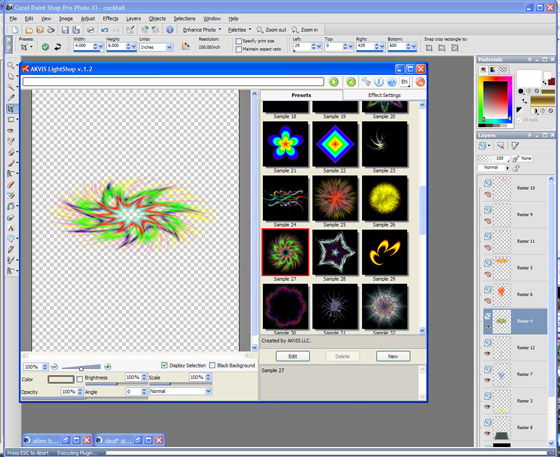
    Decorate

    and a glass body.

    Glass body
  • Passaggio 8. Now add some fruits and straw.
    Fruits and straw
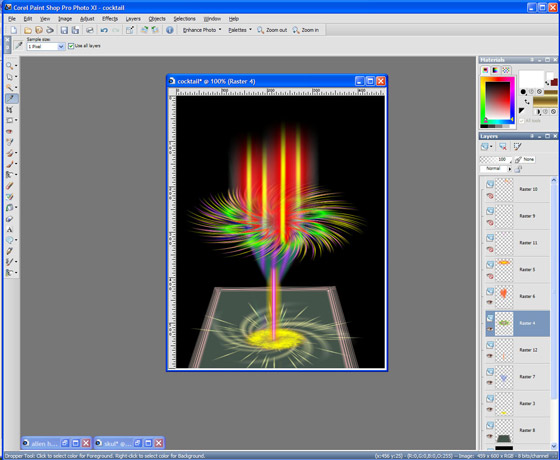
  • and our cocktail is ready:

    Cocktail
 
Come funziona Come funziona
   — Area di lavoro — Area di lavoro
   — Applicare un Effetto di Luce — Applicare un Effetto di Luce
   — Modificare un Effetto di Luce — Modificare un Effetto di Luce
   — Creazione di un nuovo Effetto di Luce — Creazione di un nuovo Effetto di Luce
   — Parametri generali — Parametri generali
   — Opzioni — Opzioni
Elementi e loro parametri  Elementi e loro parametri
   — Sfera (Blob) — Sfera (Blob)
   — Anello (Ring) — Anello (Ring)
   — Raggi (Rays) — Raggi (Rays)
   — Linea (Stripe) — Linea (Stripe)
   — Particelle (Particles) — Particelle (Particles)
   — Stella appuntita  (SpikeBall) — Stella appuntita (SpikeBall)
   — Stella a raggi multipli  (PolySpikeBall) — Stella a raggi multipli (PolySpikeBall)
   — Esplosione a punta (PhotonSpikeBall) — Esplosione a punta (PhotonSpikeBall)
Modificatori Modificatori
   — Scala — Scala
   — Ruota — Ruota
   — Spostare — Spostare
   — Fiore — Fiore
   — Stella — Stella
   — Spirale — Spirale
   — Settore — Settore
   — Frattali — Frattali
   — Inferno — Inferno
Esempi Esempi
   — Tuoni e fulmini — Tuoni e fulmini
   — Fuochi d'artificio — Fuochi d'artificio
   — Costellazione di Gallo — Costellazione di Gallo
   — Cocktail fantastico — Cocktail fantastico
   — Cartolina di Capodanno — Cartolina di Capodanno
   — Fuoci festivi di Kansas — Fuoci festivi di Kansas


   Privacy Policy | Mappa del Sito | Cerca nel sito | English  |Français  |Deutsch  |Español  |Português  | Italiano  |日本語  |Pусский  | © 2004-2009, AKVIS Software Inc. Tutti i diritti riservati.