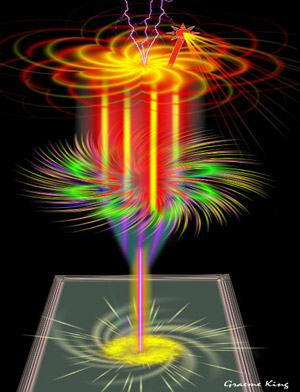
Fantastischer Cocktail
Das Beispiel wurde in der alten Version von AKVIS LightShop erstellt.
Lesen Sie, wie man die aktuelle Programmversion benutzt.
Der Autor von diesem Beispiel ist Graeme King.
Dieses Beispiel wurde in Corel PaintShop Pro XI erstellt, aber Sie können auch ein anderes Bildbearbeitungsprogramm benutzen, das mit dem Plugin AKVIS LightShop kompatibel ist.
Graeme King erstellt beeindruckende Bilder ausschließlich anhand des Plugins AKVIS LightShop.
Hier ist eine von seinen Arbeiten:
 "Ergebnis")
|
| Klicken Sie auf das Bild, um eine vergrößerte Version zu sehen |
Wollen wir versuchen, so ein Bild zu schaffen!
- Schritt 1. Öffnen sie Ihr Bildbearbeitungprogramm und erstellen Sie ein neues Dokument.
Fügen Sie eine neue Ebene hinzu und färben sie schwarz. Der schwarze Hintergrund macht die Zeichnung besser erkennbar.
- Schritt 2. Als nächstes zeichnen Sie den Glasfuß.
Zuerst erstellen Sie eine neue Ebene und rufen den Plugin AKVIS LightShop auf. Wählen Sie dann das passende Preset aus (z.B. Sample 26) und klicken auf
 .
.
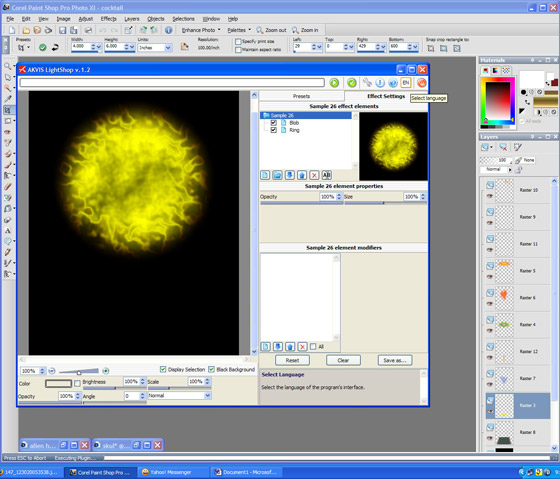
Klicken Sie auf
 , um das Ergebnis anzuzeigen und das Plugin-Fenster zu schließen.
- Schritt 3. Rufen Sie AKVIS LightShop wieder auf und wählen Sie ein anderes Preset (z.B. Sample 12). Passen Sie die Effekteinstellungen nach Ihrem Wunsch an und klicken dann auf .
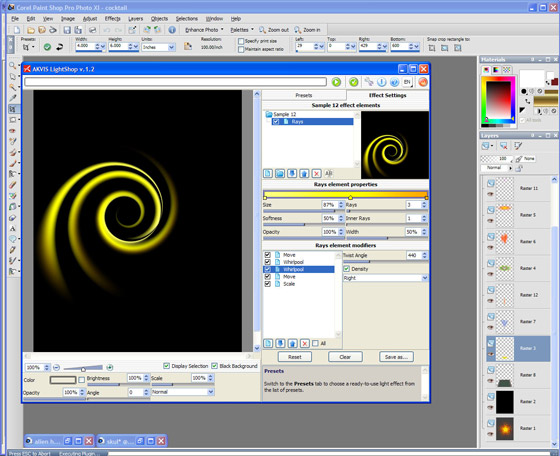
Um das Ergebnis anzuzeigen und in Bildbearbeitungsprogramm zurückzukehren, klicken sie auf
.
- Schritt 4. Ändern Sie die Proportionen und die Position des Objektes so, dass es sich nach dem Gestell zieht.
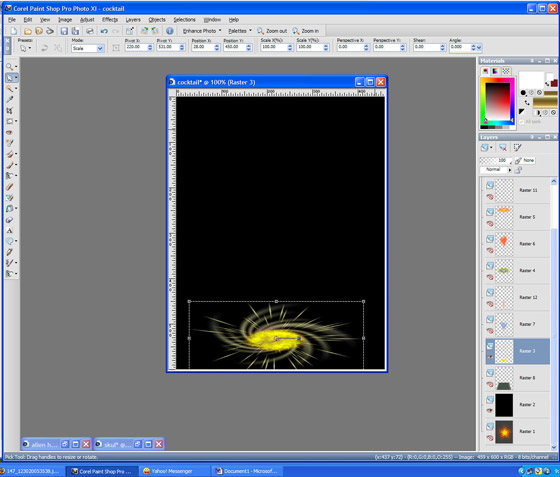
- Schritt 5. Jetzt machen wir einen Stiel. Rufen sie AKVIS LighShop wieder auf und wählen Sample 45 aus. Passen Sie die Effekteinstellungen an und klicken auf .
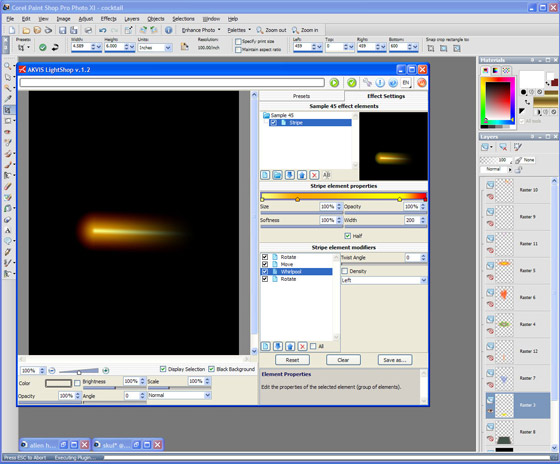
Ändern sie die Einstellungen, bis Sie das erwünschte Ergebnis erreichen.
Klicken Sie dann auf
, um die Änderungen anzunehmen und das Plugin-Fenster zu schließen.
- Schritt 6. Jetzt ist es Zeit, ein Tablett zu zeichen und das Zeichnen des Cocktailglases fortzusetzen.
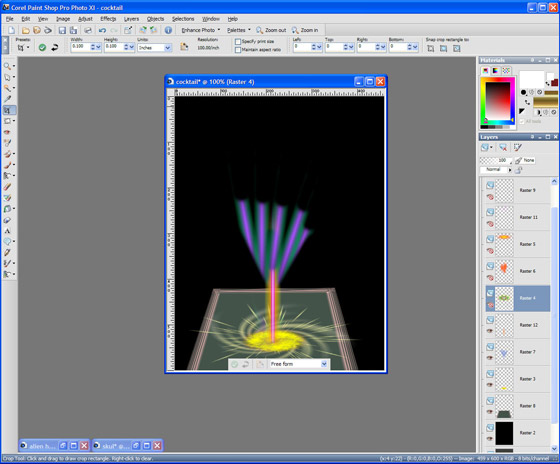
- Schritt 7. Gestalten Sie den Cocktailglas künstlerisch.
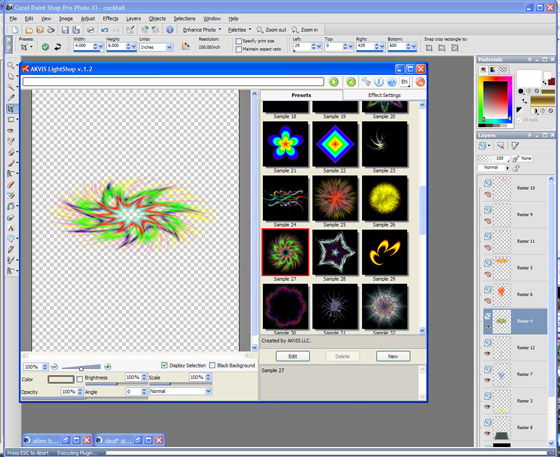
Zeichnen Sie den Glaskörper.
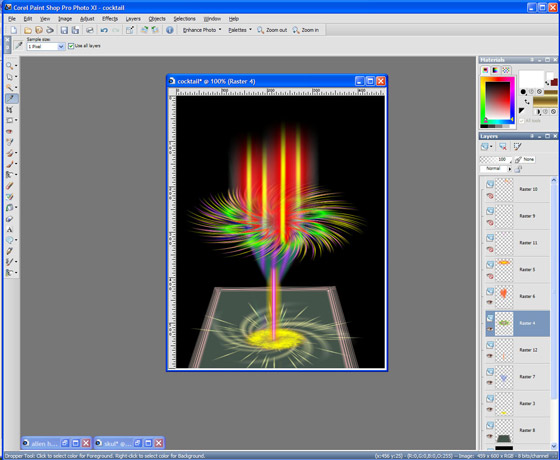
- Schritt 8. Fügen Sie nun einige Früchte und einen Trinkhalm hinzu.
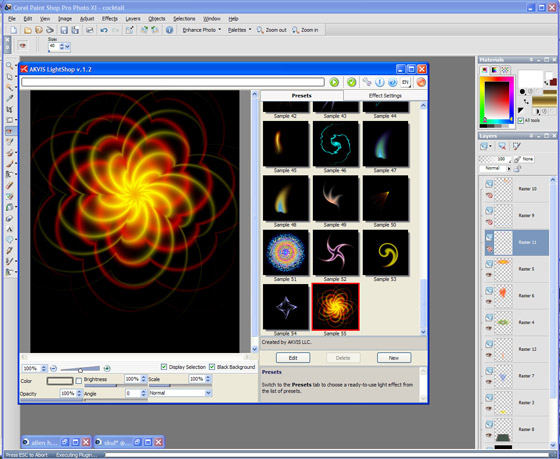
Nun ist unser fantastischer Cocktail fertig:
LightShop v. 8.0 - 10-Tage-Testversion

