AKVIS LightShop


Inserisci la tua e-mail per essere informato delle novità:
 
 
  Prodotti     Download     Online Store     Tutorial     Supporto     Chi siamo      Account dell'utente
en  fr  de  es  pt  it  jp  ru    
 

Tutorial: AKVIS LightShop

Ring


Siamo spiacenti, questa pagina al momento è disponibile solo in lingua inglese.
La versione italiana sarà presto disponibile.
Se desiderate ottenere la licenza per la traduzione per favore scriveteci.

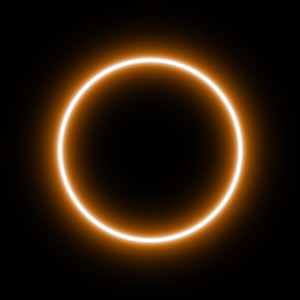
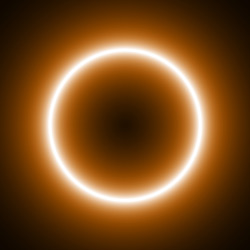
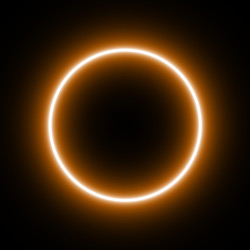
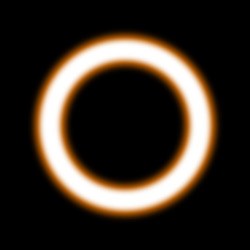
Ring is a light effect in the shape of a ring. You can modify the size, width, opacity, and edge softness of the element.

Preview of the element Ring

The Color of the Ring is set on a gradient line that has two white sliders initially. The left slider represents the color in the center of the element, the right slider - the edge color, with soft transitions between them.

To change a slider color you should double-click on it with the left mouse button and choose a color from the Standard color selection dialog box. You can add an infinite number of intermediate sliders and set a color to each of them.

Color selection

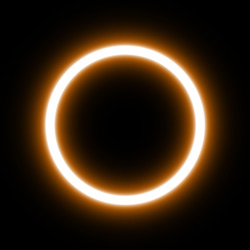
The Size parameter sets the size of the ring element as a percent of the minimal image size (width and height).
Size = 50% Size = 80%

Visible size of the element depends on the softness of the edges (Softness parameter). Softer edges fade quicker, therefore the higher is the Softness parameter value, the smaller is the visible size of the element.


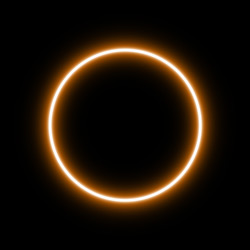
The Softness parameter regulates the softness of the element's edges. The higher is the Softness value, the softer are the edges. A Ring element with Softness set to zero has sharp edges.
Softness = 20% Softness = 80%

The Opacity parameter sets the opacity level of the light effect. The default value of the parameter is 100% that corresponds to a solid Ring element. The less is the parameter value the more transparent is the element. With Opacity =0% the element is completely transparent.
Opacity = 50% Opacity = 100%

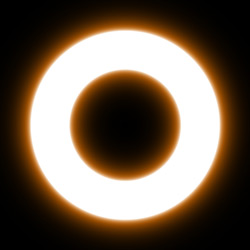
The Width parameter sets the ring's width.
Width = 10 Width = 30

 
Come funziona Come funziona
   — Area di lavoro — Area di lavoro
   — Applicare un effetto di luce — Applicare un effetto di luce
   — Modificare un effetto di luce — Modificare un effetto di luce
   — Creazione di un nuovo effetto di luce — Creazione di un nuovo effetto di luce
   — Parametri generali — Parametri generali
   — Preferenze — Preferenze
   — Preset — Preset
Elementi  degli effetti di luce Elementi degli effetti di luce
   — Sfera — Sfera
   — Anello — Anello
   — Raggi — Raggi
   — Linea — Linea
   — Particelle — Particelle
   — Stella appuntita — Stella appuntita
   — Stella a raggi multipli — Stella a raggi multipli
   — Esplosione a punta — Esplosione a punta
Modificatori degli effetti di luce Modificatori degli effetti di luce
   — Scala — Scala
   — Ruota — Ruota
   — Spostare — Spostare
   — Fiore — Fiore
   — Stella — Stella
   — Spirale — Spirale
   — Settore — Settore
   — Frattali — Frattali
   — Inferno — Inferno
Esempi Esempi
   — Tuoni e fulmini — Tuoni e fulmini
   — Fuochi d'artificio — Fuochi d'artificio


ritorna sopra


   Informativa sulla privacy | Mappa del sito | Cerca nel sito    
   Contatti | Twitter | Facebook | YouTube Channel    
| English  |Français  |Deutsch  |Español  |Português  | Italiano  |日本語  |Pусский  | © 2004-2012 AKVIS. Tutti i diritti riservati.