Channels Palette
The Channels palette is only available for Home Deluxe and Business licenses.
This palette lets you view and edit the image in separate channels. A channel is a halftone image that contains the brightness information of component colors.
The channels list contains: 1) the composite image (RGB, CMYK, Lab, or Grayscale), 2) the separate channels for the color mode (for example, for RGB - Red, Green, Blue channels), 3) the current raster layer transparency (alpha channel), and 4) the current selection channel.
To the left of a channel's name there is a visibility indicator and a thumbnail which displays all changes made with this channel.
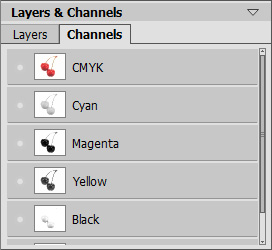
Channels palette: CMYK image
The active (editable) channel will be highlighted with a dark gray background in the list. To select another channel click on its name.
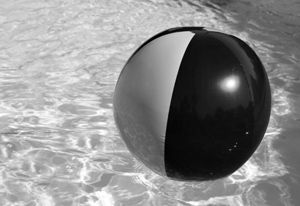
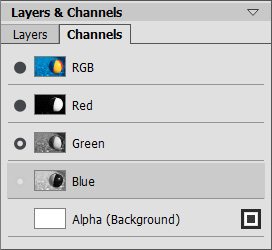
When you select one of the component channels (for example, blue in RGB) the image will be shown as grayscale in the Image Window.
 |
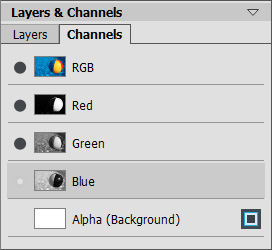 |
| Blue channel is visible | RGB image - Blue channel is editable |
The visibility indicator near the inactive channel means that this channel is shown in the Image Window but is not editable.
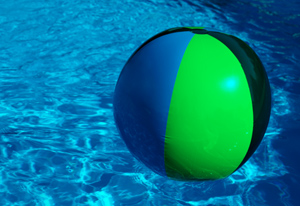
If several channels are visible, the image will be displayed in colors.
 |
 |
| Blue and Green channels are visible |
Blue channel is editable Green is visible but not selected for editing |
If you select the composite channel, all component channels become visible and active.
The composite image is always located at the top of the list and is selected by default.
 |
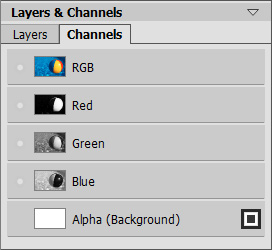 |
| Composite RGB Image | All RGB channels are editable |
To edit a channel, use the usual drawing tools. Painting in the color white on a channel will result in 100% intensity of the corresponding color. Different shades of color result in varying color intensity. A black brush will completely remove a color channel.
In the Alpha channel, by default, opaque areas are shown in white, transparent areas in black, and semitransparent areas in gray.
You can adjust the view mode for the alpha channel in the pop-up menu: Grayscale, Trimap, and Highlighted in Red.
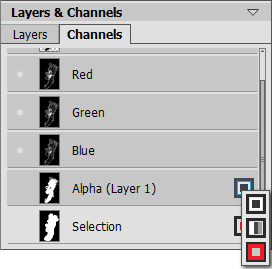
Alpha channel's View Modes
 |
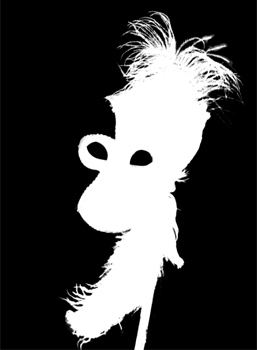 |
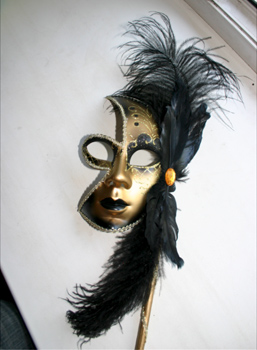
| Original RGB Image |
Grayscale: black areas are transparent, white - opaque |
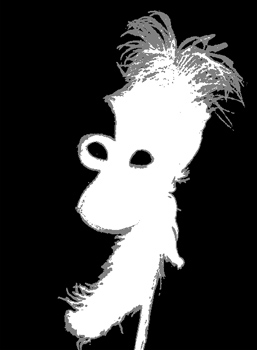 |
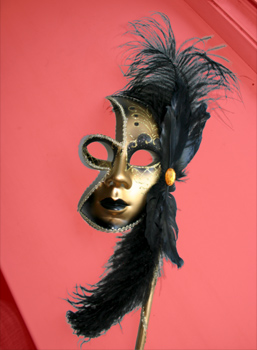 |
| Trimap: black - transparent, gray - semitransparent, white - opaque |
Highlighted in red: transparent areas are highlighted in red |
For the Selection channel you can switch between 6 view modes: Grayscale, Trimap, Highlighted in Red, Inverted Red, Black Background, and White Background.