A foto de um grupo com pequenos detalhes
AKVIS Coloriage AI pode ser aplicado para colorir qualquer foto, quase sempre a mais complicada delas. Mas neste caso, deve ser paciente para obter o melhor resultado terá que determinar a cor para cada área da foto. Boa noticia: quando estiver trabalhando com AKVIS Coloriage AI não precisará selecionar exatamente cada objeto, para manipular as camadas e suas características; tudo que precisa é traçar um contorno dentro de cada objeto com a cor escolhida.
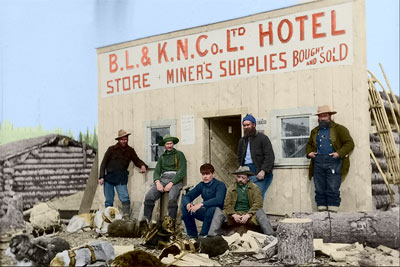
Usamos AKVIS Coloriage AI (no modo Clássico) para colorir esta foto de um grupo.
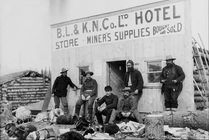
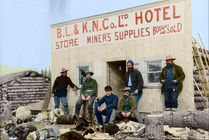
A foto é difícil de colorir por que:
- Para cada peça de roupa e cada área de pele á vista uma cor devera ser determinada;
- Atribuir uma cor para cada letra e determinar as linhas traçadas entre elas com a cor marcada;
- Na foto além das pessoas há cachorros; a cor para seus cabelos tem que ser indicada (até várias cores para alguns cachorros) e cor para os arreios;
- Também há outros objetos que deverão ser coloridos: a terra e o céu, o tronco de uma árvore caída, uma construção e uma casa de madeira no fundo.
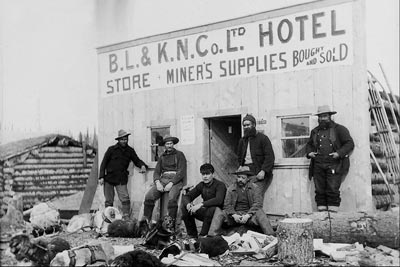
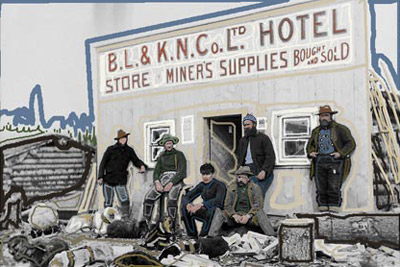
Quando tiver escolhido as cores para todos os objetos, pressione o botão  e admire o resultado do seu trabalho na aba Depois.
Pressione o botão  para aplicar o colorido resultante.
Coloriage AI v. 15.7 - Teste gratuito 10 dias
