Restauro di una foto in bianco e nero
Questo esempio di restauro fotografico è stato inviato da Laval Yan.
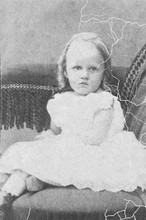
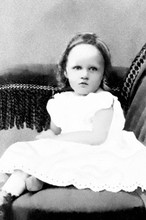
Sr. Yan ha applicato AKVIS Retoucher nella fase iniziale del ritocco per rimuovere i graffi da una foto in bianco e nero. Nella seconda fase del restauro ha usato gli strumenti di ritocco di AliveColors.
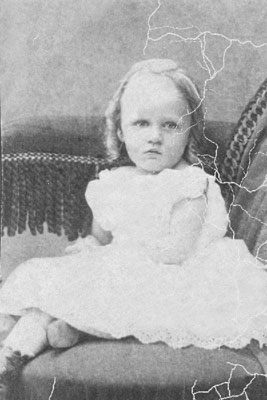
Prima fase del restauro fotografico:
- Passaggio 1. Per rimuovere i graffi con AKVIS Retoucher definire le aree da correggere, cioè selezionare tutti i difetti della fotografia in bianco e nero. Attivare il Pennello selezione
 e dipingere sopra alle imperfezioni.
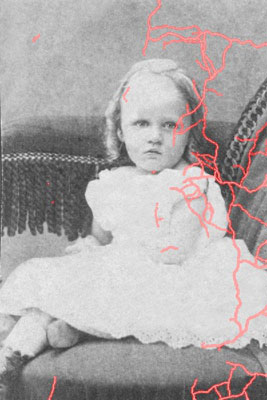
- Passaggio 2. Premere il pulsante
 per avviare il processo di restauro fotografico.
- Passaggio 3. Quando il processo di restauro è terminato, salvare il risultato premendo il pulsante
 . Dopo la prima fase si ottiene una foto senza graffi:
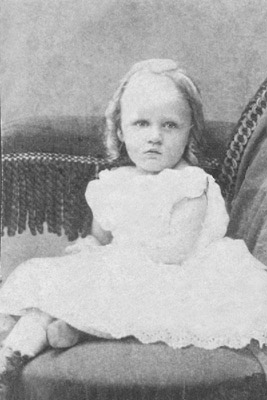
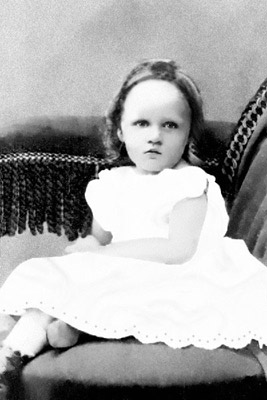
- Passaggio 4. Nella seconda fase del restauro usiamo gli strumenti di ritocco di AliveColors:
Per rimuovere i piccoli difetti operare con lo strumento Timbro clona
 , per scurire alcune parti dell'immagine utilizzare l'utensile Scurire
  , per illuminare altre zone lavorare con lo strumento Schiarire
  , e per sfocare certe aree usare l'attrezzo Sfocatura
  .
.
Retoucher v. 12.2 - 10-giorni di prova gratuita
