Réduction de bruit sur les photos
Quand vous corrigez une photo trop sombre, vous remarquerez souvent qu'au fur et à mesure que vous "éclairez" les zones sous-exposées, le bruit dans ces zones apparait abondamment, vous ne pouvez rien y faire, vous devez constamment vous battre avec les conséquences de la correction d'exposition alors qu'il n'est pas si difficile d'y faire face.
Comparons le même fragment de l'image avant et après l application du filtre : A gauche, la photo originale, au milieu le résultat de l'image corrigée avec AKVIS Enhancer et a droite, le résultat de l application du filtre de réduction de bruit, AKVIS Noise Buster.
Attention ! Le tutoriel a été réalisé avec l'ancienne version de l'algorithme du logiciel AKVIS Noise Buster. À partir de la version 12.0, il utilise des réseaux de neurones entraînés pour supprimer le bruit. Vous pouvez voir le travail de Noise Buster AI ici.



Prenons par exemple une photo sous exposée et corrigeons les détails des zones sombres a l'aide d'AKVIS Enhancer, prêtez attention aux gens situés à l arrière plan, leur visage n'est presque pas visible.
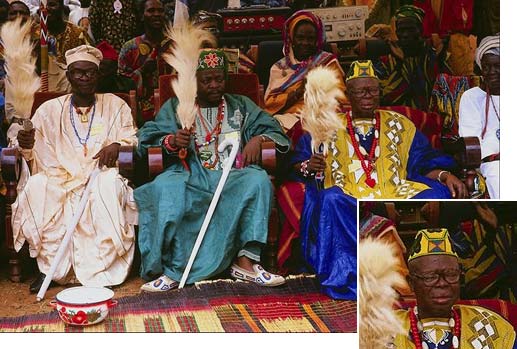
- Etape 1. Ouvrons la photo dans un logiciel compatible avec les plugins AKVIS Enhancer et AKVIS Noise Buster.
Lancez la version plugin (ou la versione autonome) de AKVIS Enhancer et ajustez ses paramètres.
Après application du filtre avec les paramètres susmentionnés, les visages des gens à l’arriere plan deviennent visibles, le bruit devient plus fort également.

- Etape 2. Vous pouvez appliquer le filtre AKVIS Noise Buster pour enlever le bruit AKVIS Noise Buster.
Lancez le filtre et ajustez ses paramètres.
Nous voyons principalement le Color Noise "bruit de couleur" sur la photo (les taches vertes et rouges, plus particulièrement sur la peau) pour réduire le bruit de couleur, ajustez les paramètres niveau de bruit et niveau de lissage pour le bruit de luminance et augmentez la valeur du paramètre "intensité" de la rubrique "masque flou".
- Etape 3. Après l'application du filtre, les taches de couleurs ont disparu et la peau semble lisse.

Noise Buster AI v. 13.2 - 10 jours d'essai
