Graphic software for Windows Mac graphic software  
Entrez votre e-mail pour souscrire à notre liste de diffusion.
 
  
  Produits     Télécharger     Magasin en ligne     Tutoriel     Support     Compagnie
en  fr  de  es  pt  it  jp  ru    
 

Tutoriel: AKVIS Decorator

Fashion show


Désolé, à présent cette information n'est disponible qu'en anglais. La version française sera bientôt affichée.

The author of the example is Héctor Calle E.

Models in a fashion show have to change their clothes all the time to present new items to the public. With AKVIS Decorator plug-in they can take a break - the program applies a new texture and color to the clothes in a flash.

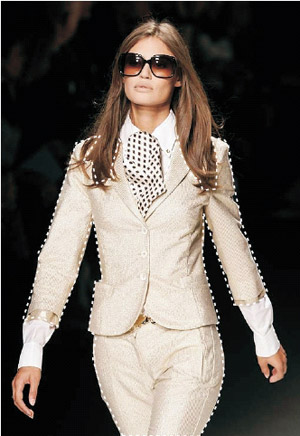
  • Step 1. Open the image in a photo editor compatible with AKVIS Decorator. In this example we are going to work with Adobe Photoshop. We will apply a new texture/color to the model's clothes and accessories.
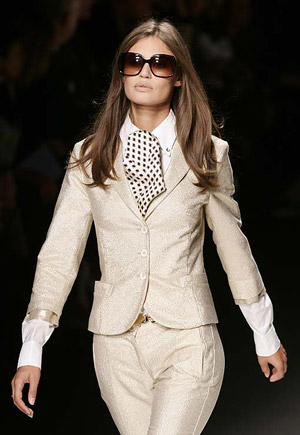
    A model in a fashion show
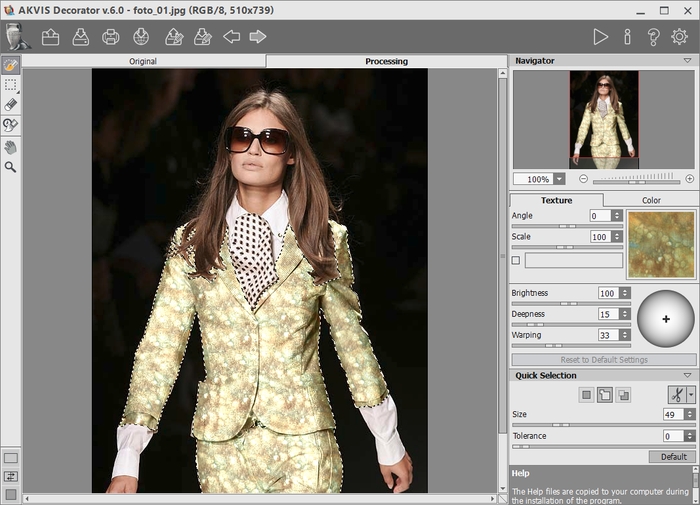
  • Step 2. Select the suit of the girl using any selection tool. In Adobe Photoshop we can use the Magnetic Lasso tool.
    select using Magnetic Lasso tool
  • Step 3. After selecting call Decorator from the menu of the photo editor, Filter > AKVIS > Decorator.
    call Decorator plug-in
  • Step 4. Select a suitable texture from the Texture Library. For this purpose open the Texture Library with a double click of the left mouse button on the box with a texture. We select the Fabric group from the group's tree and choose pattern No.6. Press the button Run and see the result in the After tab. If you are satisfied, press the button Apply to apply the changes and close the plugin's window
    A new texture for the suit
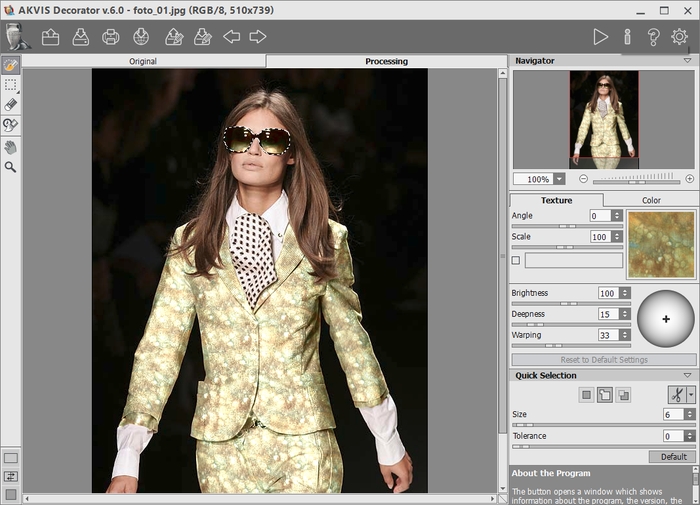
  • Step 5. So we changed the color of the suit, but we also want to recolor the accessories. Let's change the color of the sunglasses. Select the sunglasses using the Magnetic Lasso tool.

    Then we called AKVIS Decorator again and choose a green color. Press the button Run and see the result in the After tab. If you are satisfied, press the button Apply to apply the changes and close the plugin's window.

    Change the color of the sunglasses
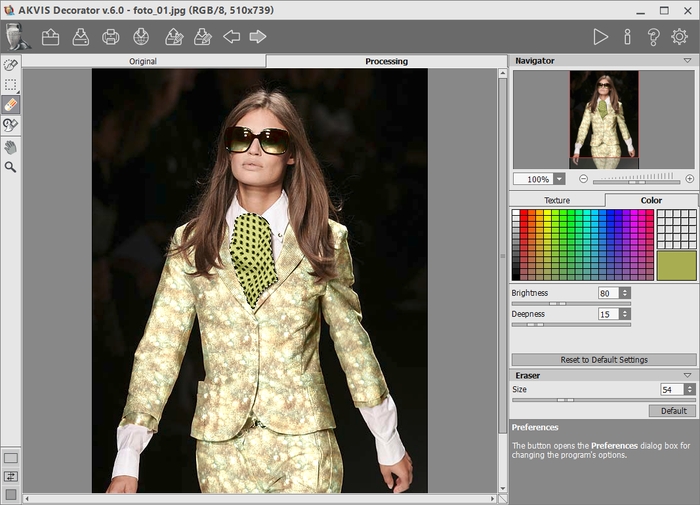
  • Step 6. Do the same with her necktie. Now we choose another tint of green color for recoloring necktie.
    Change the color of the necktie

    Here is the final result. There is no limit to creativity! As you can see working with AKVIS Decorator is very easy!
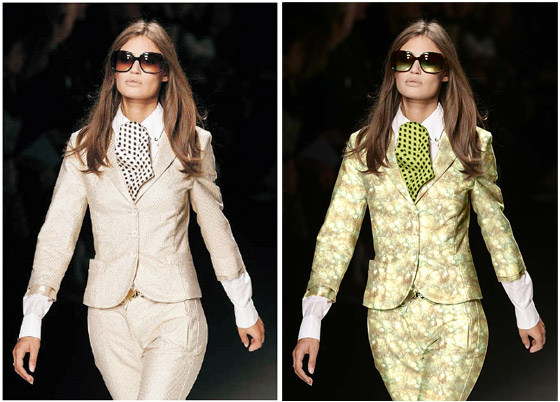
    A new suit for the model
 
Comment fonctionne-t-il? Comment fonctionne-t-il?
Couleur et texture des vêtements Couleur et texture des vêtements
Décoration de l'intérieur Décoration de l'intérieur
Théière à chaque goût Théière à chaque goût
Un bas-relief cambodgien Un bas-relief cambodgien
La Reine des Glaces La Reine des Glaces
Cadre moderne façon Patchwork Cadre moderne façon Patchwork


   Politique de Confidentialité | Plan du Site | Recherche | English  | Français  | Deutsch  | Español  | Português  | Italiano  | 日本語  | Pусский  | © 2004-2008, AKVIS Software Inc. Tous droits réservés.