Graphic software for Windows Mac graphic software
Please enter your email to be kept posted on updates and discounts:
 
  
  Products     Download     Online Store     Tutorial     Support     Company
en  fr  de  es  pt  it  jp  ru    
 

Tutorial: AKVIS SmartMask

How to work with the program


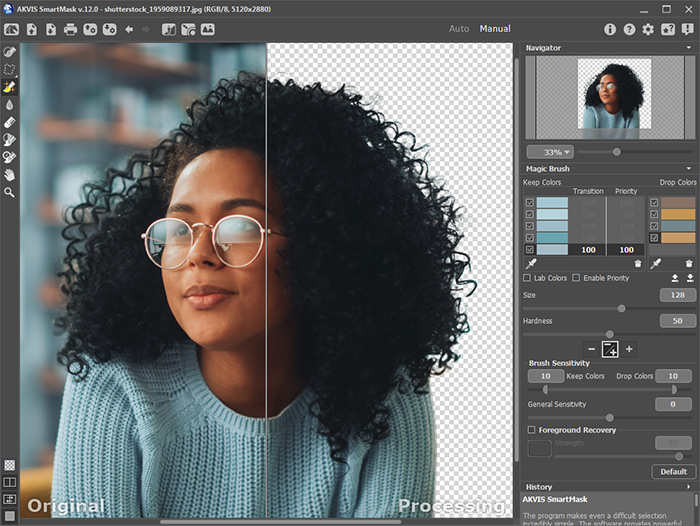
AKVIS SmartMask is an efficient selection tool that saves you time and is fun to use. Never before has selection been so simple!

There are three modes tailored to different selection types: Sharp, Soft and Complex.

You can watch a flash movie demonstrating the technique of using the plugin in all its three modes: Click here (flash-movie, 6 Mb)

Use our Tutorial to learn how to make a selection using SmartMask.


How It Works


You can also watch the flash movie "AKVIS Smartmask Tutorial" below or download the video file (mp4 file, 12 Mb).


Also, here is one more video tutorial which demonstrates the technique of using the SmartMask plugin in all its three modes: click to open in a separate window.


How It Works How It Works
   — Workspace — Workspace
   — Working with the plugin — Working with the plugin
   — Sharp Mode — Sharp Mode
   — Soft Mode — Soft Mode
   — Complex Mode — Complex Mode
   — Hot-keys — Hot-keys
Examples Examples
   — Separate A Person From A Photo — Separate A Person From A Photo
   — Around the World in One Day — Around the World in One Day
   — Unruly Braids — Unruly Braids
   — Magic Window — Magic Window
   — Little Princess — Little Princess


   Privacy Policy | Site Map | Search | English  |Français  |Deutsch  |Español  |Português  |Italiano  |日本語  |Pусский  | © 2004-2009, AKVIS Software Inc. All rights reserved.