AKVIS MakeUp Examples: How To Create The Best Portraits


Please enter your email to be kept posted on updates and discounts:
 
 
  Products     Download     Online Store     Tutorial     Support     Company      Customer Room
en  fr  de  es  pt  it  jp  ru    
 

Tutorial: AKVIS MakeUp

Examples of using the program


Learn how to create the best portraits with AKVIS MakeUp.

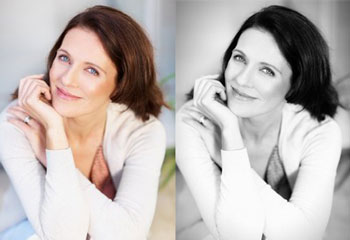
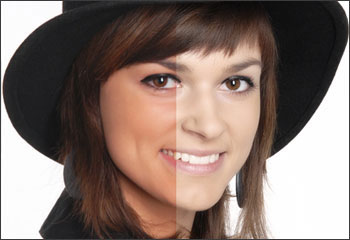
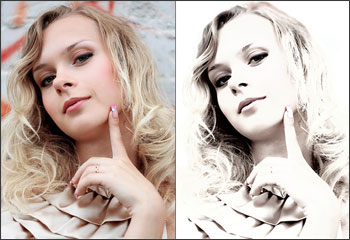
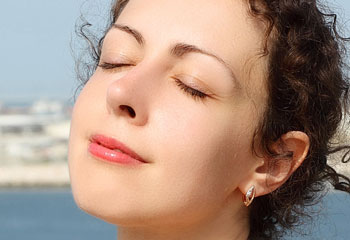
The program improves portraits and adds glamour to photos, giving them a professional look. It lets retouching small defects on a skin, making it radiant, beautiful, pure and smooth. It can also create high key photographs.

Click to view in detail Click to view in detail Click to view in detail


AKVIS Video Channel:
YouTube.com/user/AKVISvideo


How It Works How It Works
   — Workspace — Workspace
   — How To Use The Program — How To Use The Program
   — Effects — Effects
   — Batch Processing — Batch Processing
   — Preferences — Preferences
Examples Examples
   — Improving Skin Tone — Improving Skin Tone
   — A Glamourous Couple — A Glamourous Couple
   — High Key Portrait — High Key Portrait
   — How to Look Like a Cover Girl — How to Look Like a Cover Girl


back to top


   Privacy Policy | Site Map | Search at AKVIS    
   Contact Us | Twitter | Facebook | YouTube Channel    
| English  |Français  |Deutsch  |Español  |Português  |Italiano  |日本語  |Pусский  | © 2004-2012 AKVIS. All rights reserved.