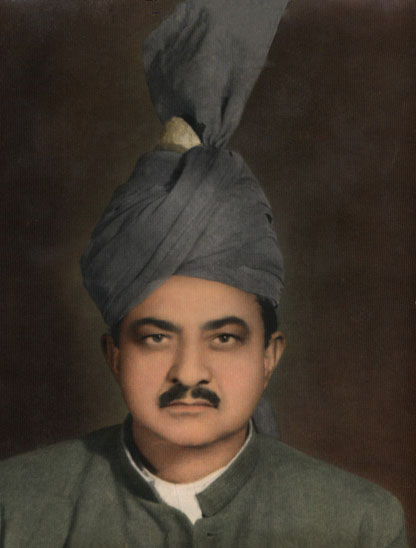
Rimozione di macchie da una vecchia foto del nonno
Il tutorial è stato creato da Afaq Saeed che scrive:
"Lo strumento più potente per la rimozione di graffi, pieghe, macchie, polvere ed oggetti è AKVIS Retoucher. L'ho trovato su internet mentre navigavo alla ricerca di uno strumento efficace per eliminare segni e chiazze dalle foto, e nel contempo ricostruisse automaticamente anche le aree distrutte. Ho scaricato la versione trial di AKVIS Retoucher ed è stata una piacevole sorpresa; assai efficace, rapido e professionale esso mi è stato di grande aiuto nel rimuovere le anomalie, ripristinando lo sfondo originario di molte foto del nonno."
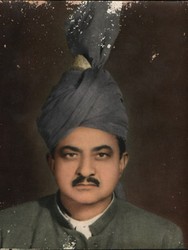
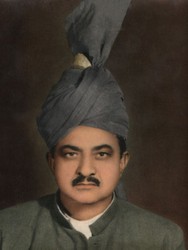
L'autore descrive il processo usato per ripristinare la foto:
In un primo momento ho cercato di rimuovere tutte le macchie con lo Strumento pennello correttivo e Strumento clona di Adobe Photoshop, ma il risultato è stato assai deludente così ho deciso di utilizzare il programma AKVIS Retoucher.
Ecco la procedura usata:
- Passaggio 1. Per prima cosa ho aperto la foto del nonno in AKVIS Retoucher ed utilizzato il Pennello selezione
 per evidenziare tutte le macchie sulla foto, anche quelle più piccole.
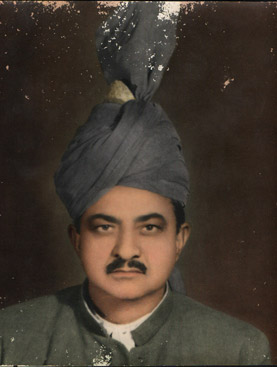
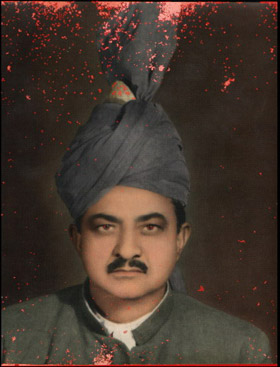
- Passaggio 2. Poi ho premuto su
 per avviare il processo di ritocco. Le aree evidenziate in rosso hanno iniziano piano piano a dissolversi lasciando posto allo sfondo ristrutturato.
- Passaggio 3. Ho ritoccato leggermente alcune zone con il Pennello camaleonte
 e questo è tutto.
Come avete letto il lavoro di ricostruzione è stato semplice e veloce grazie a Retoucher, ed io sono soddisfatto di aver restaurato questa foto.
Retoucher v. 12.2 - 10-giorni di prova gratuita
