AKVIS LightShop


Inserisci la tua e-mail per essere informato delle novità:
 
 
  Prodotti     Download     Online Store     Tutorial     Supporto     Chi siamo      Account dell'utente
en  fr  de  es  pt  it  jp  ru    
 

Tutorial: AKVIS LightShop

PhotonSpikeBall


Siamo spiacenti, questa pagina al momento è disponibile solo in lingua inglese.
La versione italiana sarà presto disponibile.
Se desiderate ottenere la licenza per la traduzione per favore scriveteci.

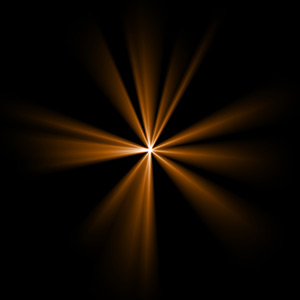
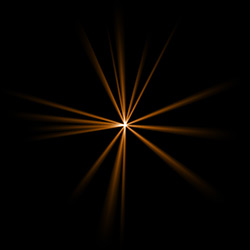
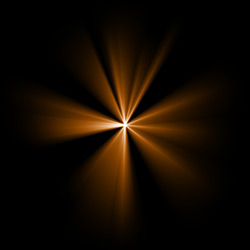
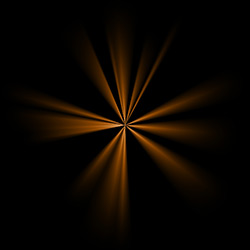
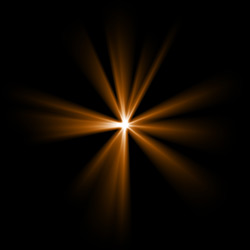
PhotonSpikeBall is an element in a form of beams of light coming out of a single center.

Preview of the element PhotonSpikeBall

The Color of the PhotonSpikeBall is set on a gradient line that has two white sliders initially. The left slider represents the color in the center of the element, the right slider - the edge color, with soft transitions between them.

To change a slider color you should double-click on it with the left mouse button and choose a color from the Standard color selection dialog box. You can add an infinite number of intermediate sliders and set a color to each of them.

Color selection

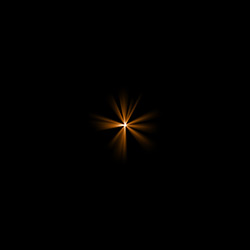
The Size parameter sets the size of PhotonSpikeBall element as a percentage of the minimal image size, so that the element applied to the image at 100% Size would fit in.
Size = 40% Size = 100%

The Opacity parameter sets the opacity level of the light effect. The default value of the parameter is 100% that corresponds to a solid PhotonSpikeBall element. The less is the parameter value the more transparent the element would be. With Opacity =0% the element is completely transparent.
Opacity = 50% Opacity = 100%

The Rays count parameter sets the number of rays in the element.
Rays count = 15 Rays count = 70

The Random size sets the spikes length diapason. With the diapason set to zero all spikes have the same maximum size. When Random size is 50% the length randomly varies between the half and the whole length. With Random Size at 100% the length of the spikes randomly varies between the zero and the whole length.
Random size = 0% Random size = 95%

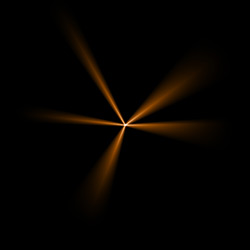
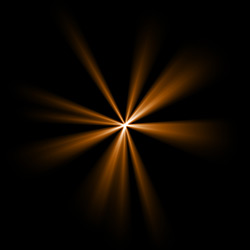
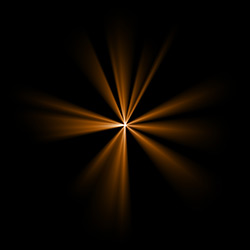
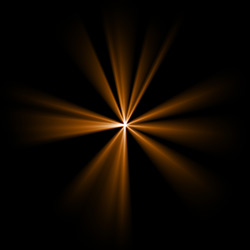
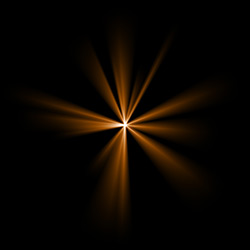
The Random seed is the starting number for the random-number generator. This parameter is set within the range of 0 to 9999; every number produces a unique distribution of rayss within the element.
Random seed = 1084 Random seed = 2897 Random seed = 7564

 
Come funziona Come funziona
   — Area di lavoro — Area di lavoro
   — Applicare un effetto di luce — Applicare un effetto di luce
   — Modificare un effetto di luce — Modificare un effetto di luce
   — Creazione di un nuovo effetto di luce — Creazione di un nuovo effetto di luce
   — Parametri generali — Parametri generali
   — Preferenze — Preferenze
   — Preset — Preset
Elementi  degli effetti di luce Elementi degli effetti di luce
   — Sfera — Sfera
   — Anello — Anello
   — Raggi — Raggi
   — Linea — Linea
   — Particelle — Particelle
   — Stella appuntita — Stella appuntita
   — Stella a raggi multipli — Stella a raggi multipli
   — Esplosione a punta — Esplosione a punta
Modificatori degli effetti di luce Modificatori degli effetti di luce
   — Scala — Scala
   — Ruota — Ruota
   — Spostare — Spostare
   — Fiore — Fiore
   — Stella — Stella
   — Spirale — Spirale
   — Settore — Settore
   — Frattali — Frattali
   — Inferno — Inferno
Esempi Esempi
   — Tuoni e fulmini — Tuoni e fulmini
   — Fuochi d'artificio — Fuochi d'artificio


ritorna sopra


   Informativa sulla privacy | Mappa del sito | Cerca nel sito    
   Contatti | Twitter | Facebook | YouTube Channel    
| English  |Français  |Deutsch  |Español  |Português  | Italiano  |日本語  |Pусский  | © 2004-2012 AKVIS. Tutti i diritti riservati.