Leona enjaulada: Quitando los barrotes
AKVIS Retoucher es eficiente para las tareas de restauración de fotos. Puede ser aplicado a restaurar fotos antiguas dañadas o eliminar una marca de fecha o de un objeto no deseado, como un dedo que cubre la lente cuando se hace fotografía o un objeto irrelevante que echa a perder la oportunidad.
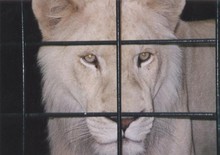
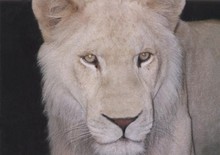
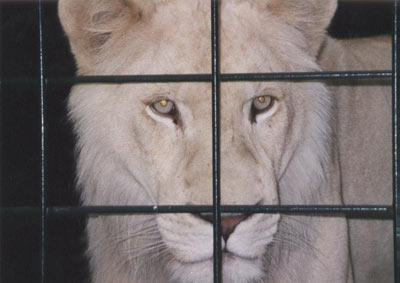
Este tutorial ilustra el segundo caso: vamos a utilizar las herramientas de AKVIS para quitar las barras de la jaula de la foto siguiente.
- Paso 1. Abra la imagen en AKVIS Retoucher. Seleccione las barras utilizando el Pincel de selección
 . No se olvide de elegir también las sombras de los barrotes.
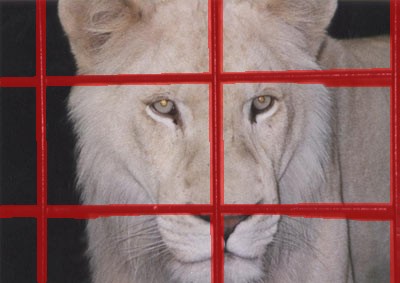
- Paso 2. Después de iniciar el proceso de retoque presionando
 , la zona roja (junto con las barras de la jaula) desaparece. La imagen lucirá así:
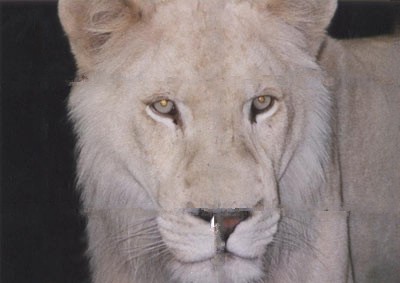
- Paso 3. La unión del fondo no se ve correcta. La imagen debe ser procesada con más precisión. Por lo tanto, presione
 para cancelar la acción anterior. Cámbiese a modo Avanzado y seleccione la herramienta Líneas de referencia
  . Dibuje unas cuantas líneas cortas sobre los lugares donde desea restaurar:
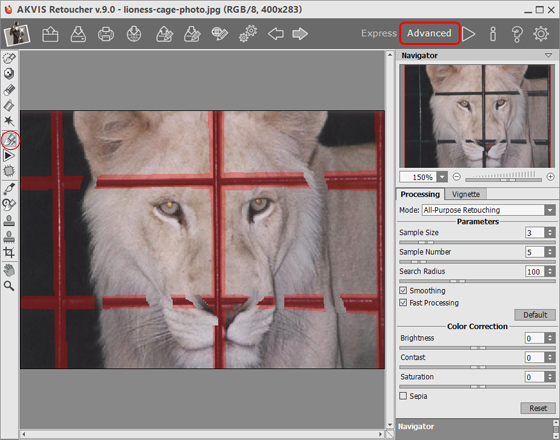
Procese la imagen pulsando
.
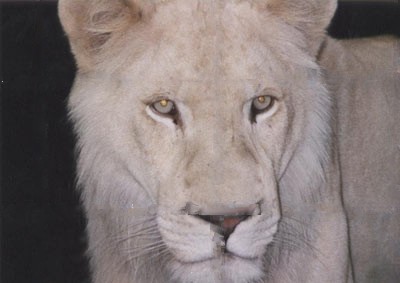
- Paso 4. El resultado del procesamiento, por supuesto, no es el ideal: Retoucher no pudo restaurar la nariz, que fue casi completamente obscurecida por barras de la jaula. Podemos utilizar la herramienta Tampón de clonar
 para hacer frente a las incongruencias de la piel de la nariz.
El Tampón de clonar repara las zonas dañadas utilizando fragmentos clonados de otras partes de la foto. Elija una muestra de clonación haciendo clic izquierdo en una zona adecuada mientras mantiene Alt (Option en Mac). Para aplicar la muestra clon, lleve el cursor sobre el área que desea reparar y haga clic con el botón izquierdo.
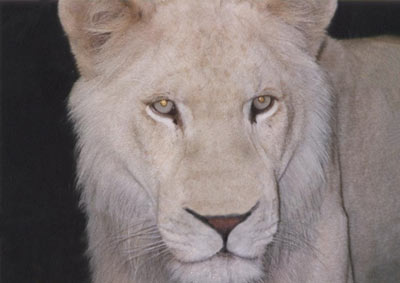
Mire a la imagen - la jaula se ha ido, la leona es libre, y se ve más feliz.
Retoucher v. 12.1 - Prueba gratuita de 10 días

