Spray
The Spray  brush imitates spraying paint on an image. It does not apply paint in a continuous layer but rather as droplets scattered along the stroke. Press A to quickly access this tool.
The tool's parameters will be shown in a floating box over an image (by right-clicking the mouse) and also in the Settings Panel.
To change the setting of a parameter, enter a numerical value in its box and press Enter or move the slider.
- Size (10-1000). The maximum width of a line made by the brush (in pixels).
-
Opacity (1-100). The permeability of brush strokes in relation to the background color. This parameter sets the opacity of paint applied to the image: at lower values drop color becomes lighter and interacts more with the background color.
Revealing Freckles on a Child's Face
(Size = 55, Drop Density = 5, Drop Size = 4)

Opacity = 24% Opacity = 55% -
Drop Density (1-100). The amount of spots in a stroke. At higher values of this parameter the spray becomes denser.
Spraying With Varying Density
(Size = 175, Opacity = 100%, Drop Size = 9)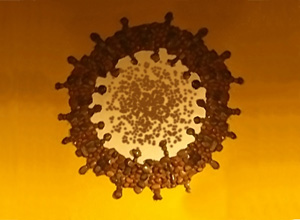
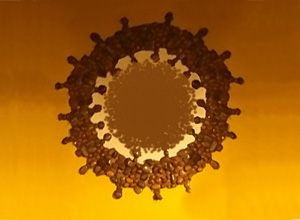
Drop Density = 10 Drop Density = 65 -
Drop Size (1-50). The diameter of individual drops. Larger drops will merge, forming an irregularly shaped line with rough edges.
The Arrival of Winter
(Size = 400, Opacity = 100%, Drop Density = 1)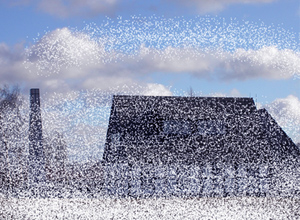
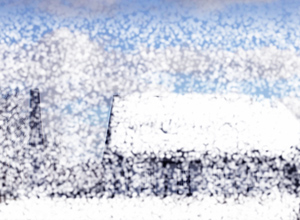
Drop Size = 5 Drop Size = 30 -
Intensity (1-100). The intensity of drop color in a single stroke. As drops are sprayed their interaction with one another increases. The lower the value of this parameter, the paler the paint color.
Adding Blush to a Girl's Cheeks
(Size = 52, Opacity = 100%, Drop Density = 100, Drop Size = 1)

Intensity = 5 Intensity = 70
Paint color is set in the Color/Swatches palettes. To choose a color bring the cursor over the spectral bar (the cursor will take the form of a pipette) and click on the desired color or double-click on the square and choose a color from the Select Color dialog. In some cases choosing a color is more convenient than manually selecting the components of a color with the sliders.
To spray paint along a straight line, Left-click to set the starting point, then hold down Shift, move the cursor, click on and end point and release Shift. If Shift is not released, the line will be drawn following all selected points.