Rimozione dell'effetto moiré da scansioni
Le immagini stampate rappresentano una serie di punti sovrapposti che danno l'impressione di tanti colori. Quando si scannerizza un'immagine, spesso si verifica il cosiddetto effetto moiré. La comparsa dell'effetto moiré è dovuta ad un'errata inclinazione angolare dei mezzitoni durante la stampa.
E possibile tentare di prevenire l'effetto moiré durante la scannerizzazione. A volte, selezionando con cura l'angolo di scansione si riescono ad ottenere buoni risultati. Tuttavia, se si ha a disposizione solo una scansione, si può ridurre l'effetto moiré con l'aiuto di tecniche di elaborazione di immagini.
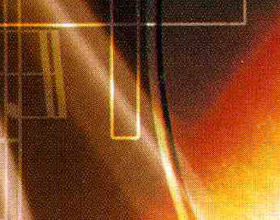
Immagine originale
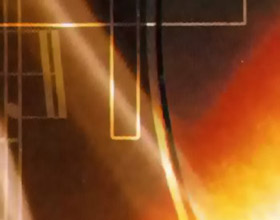
Risultato
La seguente foto è la copertina scansionata di un CD musicale. Si vede l'effetto moiré.
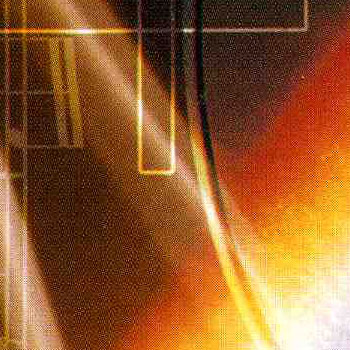
- Passaggio 1. Aprire l'immagine nel programma AKVIS Noise Buster AI (il pulsante
 ).
).
Noise Buster provvederà ad elaborare l'immagine con le impostazioni predefinite.
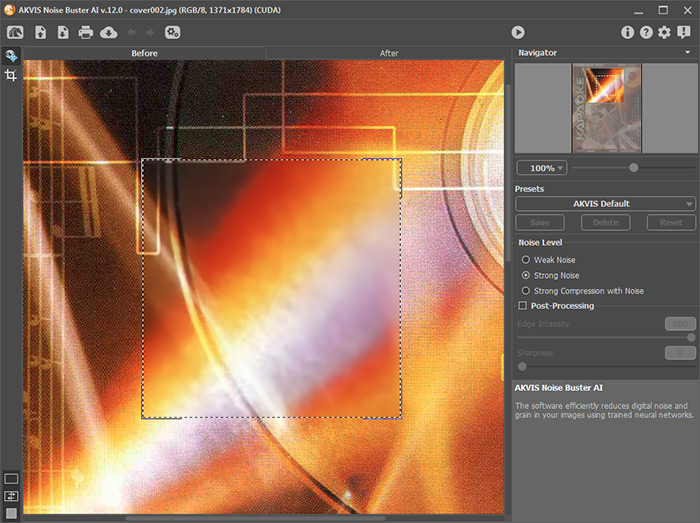
- Passaggio 2. Se necessario, modificare la modalità di rimozione del rumore e regolare i parametri di ulteriore elaborazione. In questo esempio, abbiamo utilizzato i seguenti valori:
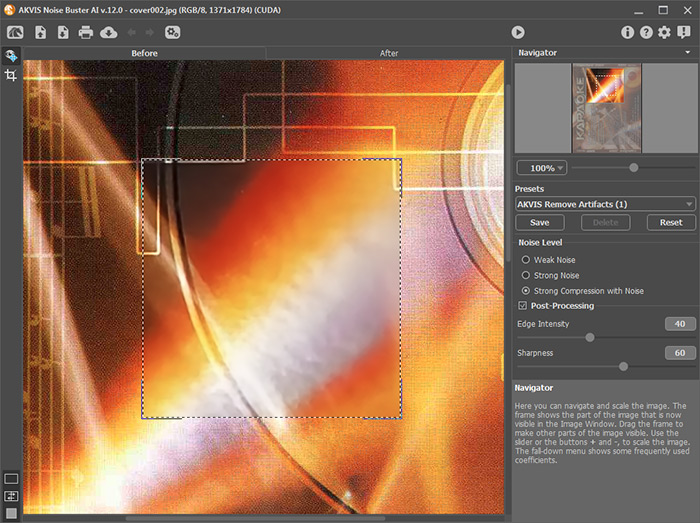
- Passaggio 3. Se il risultato che si può vedere nell'area di anteprima è soddisfacente, basta premere il pulsante
 per applicarlo all'intera immagine.
Premere
 per salvare il risultato.
Noise Buster AI v. 13.2 - 10-giorni di prova gratuita
