Graphic software for Windows Mac graphic software
Inserisci la tua e-mail per essere informato delle novità:
 
  
  Prodotti     Download     Online Store     Tutorial     Supporto     Chi siamo
en  fr  de  es  pt  it  jp  ru    
 

Tutorial: AKVIS LightShop

SpikeBall


Siamo spiacenti, questa pagina al momento è disponibile solo in lingua inglese.
La versione italiana sarà presto disponibile.
Se desiderate ottenere la licenza per la traduzione per favore scriveteci.

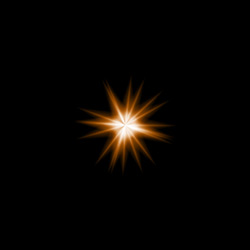
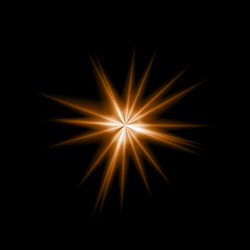
SpikeBall is an element in a form of thin spiky rays spreading out of a single center. You can set the element's color, opacity, number of spikes, and their length and width. The spikes are randomly spread within the element.

Preview of the element SpikeBall

The Color of the Spikeball is set on a gradient line that has two white sliders initially. The left slider represents the color in the center of the element, the right slider - the edge color, with soft transitions between them.

To change a slider color you should double-click on it with the left mouse button and choose a color from the Standard color selection dialog box. You can add an infinite number of intermediate sliders and set a color to each of them.

Color selection

The Size parameter sets the size of the SpikeBall element as a percentage of the minimal image size, so that the element applied to the image at 100% Size would fit in.
Size = 50% Size = 100%

The Opacity parameter sets the opacity level of the light effect. The default value of the parameter is 100% that corresponds to a solid Rays element. The less is the parameter value the more transparent is the element. With Opacity =0% the element is completely transparent.
Opacity = 20% Opacity = 80%

The Rays Count parameter sets the number of spikes in the element.
Rays Count = 20 Rays Count = 70

The Ray Width parameter sets the spikes width.
Ray Width = 50 Ray Width = 90

The Random Size parameter sets the spikes length diapason. With the diapason set to zero all spikes have the same maximum size. When Random size is 50%, the length varies randomly between the half and the whole length. With Random Size at 100% the length of the spikes varies randomly between the zero and the whole length.
Random Size = 0% Random Size = 95%

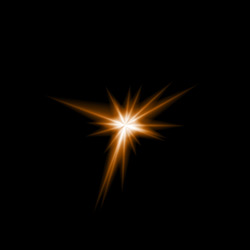
The Random seed is the starting number for the random-number generator. This parameter is set within the range of 0 to 9999; every number produces a unique distribution of spikes within the element.
Random seed = 3206 Random seed = 5190 Random seed = 8090
Random seed = 3206 Random seed = 5013 Random seed = 8090

 
Come funziona Come funziona
   — Area di lavoro — Area di lavoro
   — Applicare un Effetto di Luce — Applicare un Effetto di Luce
   — Modificare un Effetto di Luce — Modificare un Effetto di Luce
   — Creazione di un nuovo Effetto di Luce — Creazione di un nuovo Effetto di Luce
   — Parametri generali — Parametri generali
   — Opzioni — Opzioni
Elementi e loro parametri  Elementi e loro parametri
   — Sfera (Blob) — Sfera (Blob)
   — Anello (Ring) — Anello (Ring)
   — Raggi (Rays) — Raggi (Rays)
   — Linea (Stripe) — Linea (Stripe)
   — Particelle (Particles) — Particelle (Particles)
   — Stella appuntita  (SpikeBall) — Stella appuntita (SpikeBall)
   — Stella a raggi multipli  (PolySpikeBall) — Stella a raggi multipli (PolySpikeBall)
   — Esplosione a punta (PhotonSpikeBall) — Esplosione a punta (PhotonSpikeBall)
Modificatori Modificatori
   — Scala — Scala
   — Ruota — Ruota
   — Spostare — Spostare
   — Fiore — Fiore
   — Stella — Stella
   — Spirale — Spirale
   — Settore — Settore
   — Frattali — Frattali
   — Inferno — Inferno
Esempi Esempi
   — Tuoni e fulmini — Tuoni e fulmini
   — Fuochi d'artificio — Fuochi d'artificio
   — Costellazione di Gallo — Costellazione di Gallo
   — Cocktail fantastico — Cocktail fantastico
   — Cartolina di Capodanno — Cartolina di Capodanno
   — Fuoci festivi di Kansas — Fuoci festivi di Kansas


   Privacy Policy | Mappa del Sito | Cerca nel sito | English  |Français  |Deutsch  |Español  |Português  | Italiano  |日本語  |Pусский  | © 2004-2009, AKVIS Software Inc. Tutti i diritti riservati.