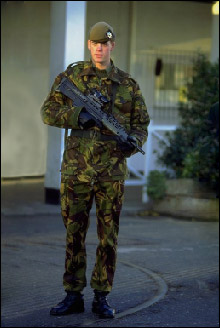
Soldier on duty
The example was made in the old version of AKVIS Stamp.
Starting from version 4.0 the program is called AKVIS MultiBrush.
The tool used in this tutorial is now called the Chameleon Brush tool.
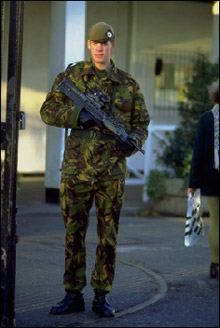
Sometimes, on the photos you take, you can find passer-byes and irrelevant objects that fall into the shot by accident. In the following photo of a soldier we can see a gate and a woman that somewhat distract attention and should be removed.
- Step 1. Open the original image in your photo editor.
- Step 2. Select the plugin AKVIS Stamp. In Adobe Photoshop, you should select the menu item Filter - AKVIS - Stamp, in Jasc Paint Shop Pro - the menu item Effects - Plugins- AKVIS - Stamp; and in Corel Photo-Paint - Effects - AKVIS - Stamp.
- Step 3. Select the Stamp tool from the Toolbar pressing the button
 and adjust the size of the stamp.
- Step 4. First of all, we will remove the gate. The pattern for the object replacement is taken from the upper part of the image near the gate.
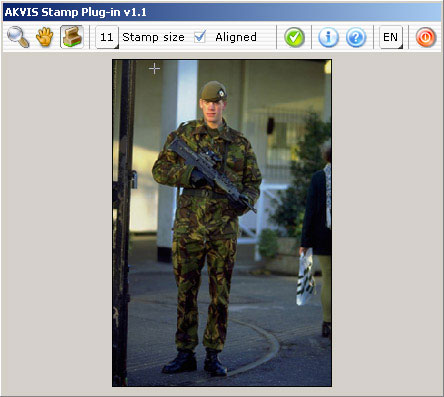
- Step 5. Replace the upper part of the gate with the cloned pattern.
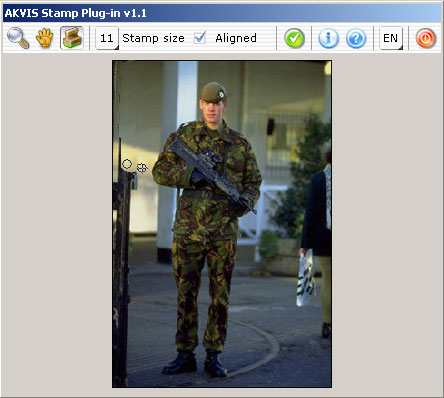
- Step 6. The next source point is taken in the lower part of the image near the gate. This pattern will serve us to remove the lower part of the gate.
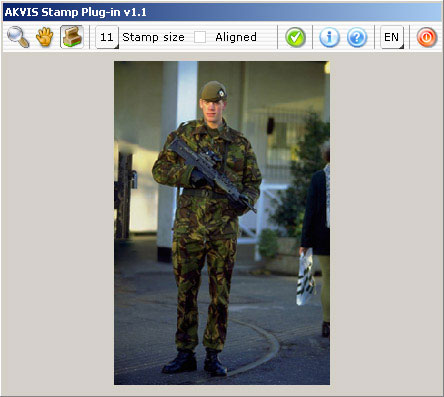
- Step 7. When the gate is removed, we will see the following picture:
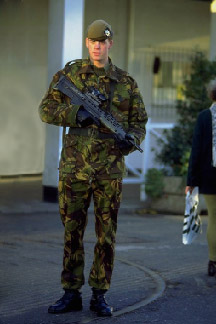
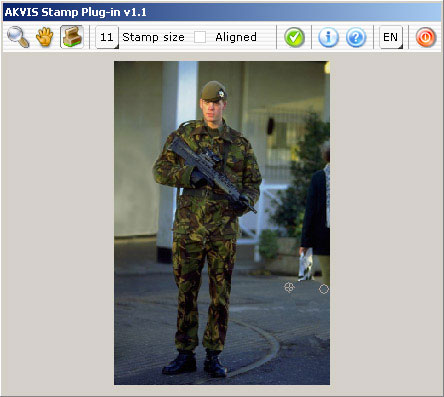
- Step 8. Now we will remove the figure of a woman that has fallen into the shot by chance. First, we will indicate the pattern for cloning on the pavement and replace the legs of the woman with this pattern.
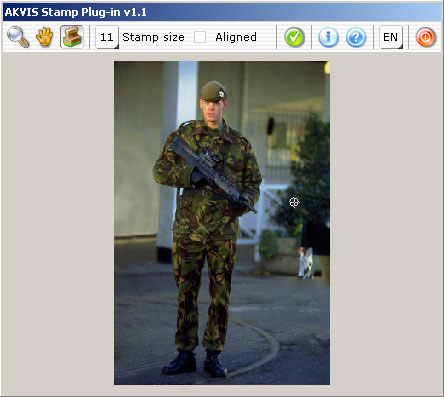
- Step 9. Then we set the source point on the crown of the tree and replace the woman with this pattern.
- Step 10. Press the button
 in the Toolbar to apply the result and close the plugin window.