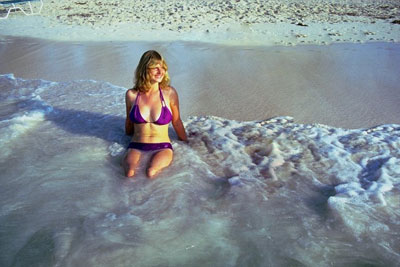
Girls at the seaside
Note: The example was made in the old version of AKVIS Stamp.
Starting from version 4.0 the program is called AKVIS MultiBrush.
The tool used in this tutorial is now called the Chameleon Brush tool.
It happens that you want to remove objects from your pictures: either these are objects and people that appeared in your picture by accident, or the people that you do not like to see.
The following example demonstrates, how to remove objects from photos using the AKVIS Stamp plugin.
- Step 1. Open the original image in your photo editor and call the plugin.
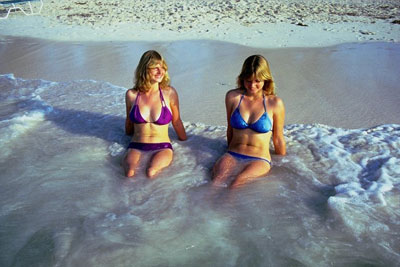
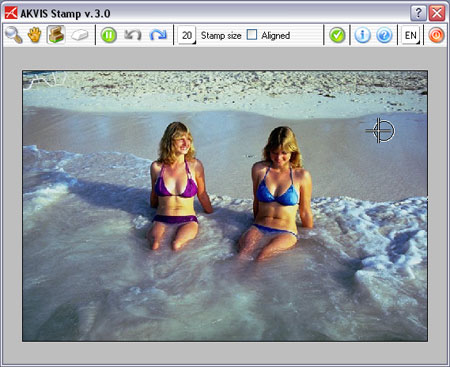
- Step 2. In the plugin, activate the Stamp tool. Adjust the size of the stamp.
- Step 3. Press the Alt-key (Option in Mac) and use the left mouse button to specify the pattern for cloning on the sand, on the right of the girls at the level of their heads.
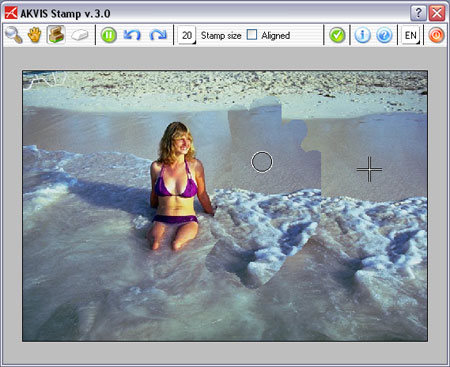
- Step 4. Move the cursor to the head of the girl on the right and replace the girl's figure with the pattern of the seaside specified in the previous step.
- Step 6. Apply the result and close the plugin window.