Removing the date stamp
You can use AKVIS Retoucher AI to remove irrelevant texts or objects, for example, a date stamp.
Note: This tutorial was created in the old version of Retoucher. Learn here how to use the new version with all its features! Though it processes images in a similar way, new Retoucher offers selection and retouch tools and advanced features.
 |
 |
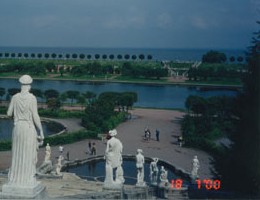
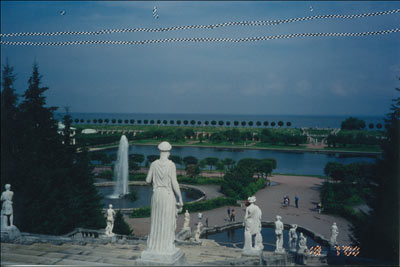
Let's take a photo that contains a date stamp:
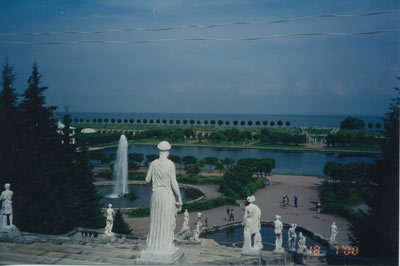
The wires in the upper part of the photo spoil the picture, too. They look irrelevant on this picturesque photo of a park. We will seize the occasion and get rid of these wires, minor scratches and the date stamp altogether.
First of all we should select the irrelevant objects. You can use any selection tool of your photo editor to make the selection.
Learn more about selection tools of Adobe Photoshop, Photoshop Elements, Corel (Jasc) Paint Shop Pro, Corel Photo-Paint.
The easiest way to make a precise selection in Adobe Photoshop is to use the Quick Mask mode. Switch to the Quick Mask mode and paint over the defects with a pencil or a hard edge brush.
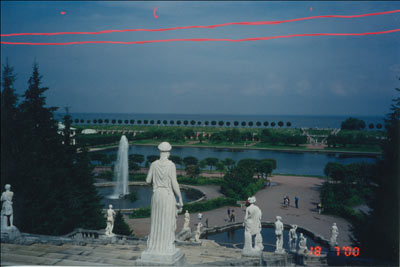
Then switch to the Standard mode and inverse the selection. As a result, the date stamp, the wires, and the scratches get selected.
When the areas for restoration are selected you can call AKVIS Retoucher AI plug-in (click to enlarge): .
- in Adobe Photoshop select Filter - AKVIS - Retoucher in the menu;
- in Corel Paint Shop Pro select Effects - Plugins- AKVIS - Retoucher;
- in Corel Photo-Paint use Effects - AKVIS - Retoucher.
 "AKVIS Retoucher AI plugin")
and press the Run button.
The program restores the picture on its own; you can relax in your chair and see the defects disappear.
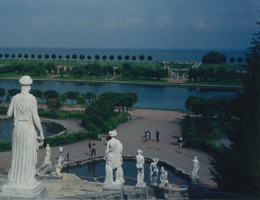
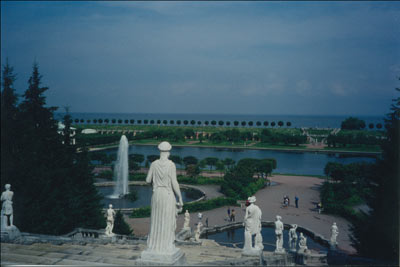
As a result, we get the following picture, which now looks more like a postcard.
Retoucher AI v. 13.0 - Free 10-day Trial
