Blend by Brightness
The Layers’ Blending Options are arranged in two groups of parameters: General and Blend by Brightness (advanced).
Blend by Brightness is used to control the visibility of pixels on the active layer (This Layer) and the lower layer (Underlying Layer) based on their brightness. Each scale has two sliders. At the leftmost slider a pixel has a brightness of 0 (black); at the extreme right a brightness of 255.
Those pixels whose brightness falls within the values between the two sliders will be displayed (for the upper layer) and hidden (for the lower layer). Sliders hide pixels without removing them.
If a slider is moved while holding down Ctrl, the slider will be divided into two parts, which can then be moved independently of one another. Divided sliders set the tonal range between visible and invisible pixels, so you can achieve a more subtle effect with a soft color change.
Actions on the active layer (This Layer):
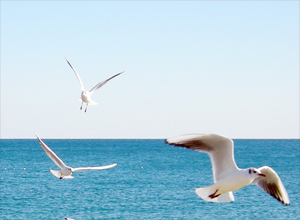 |
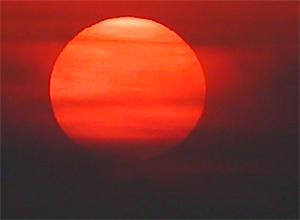 |
| Upper (This) Layer | Lower Layer |
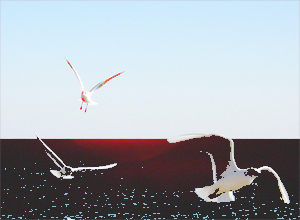 |
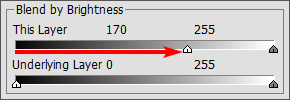 |
| Active Layer: Hidden 0-170 Visible 170-255 |
|
| Moving the left slider hides dark pixels with lower brightness | |
 |
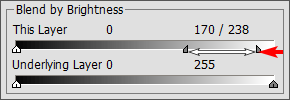 |
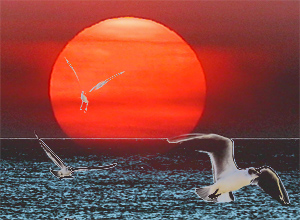
| Active Layer: Visible 0-170 Transition 170-238 Hidden 238-255 |
|
| Moving the right slider hides light pixels with higher brightness | |
 |
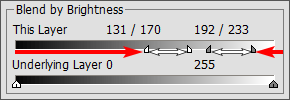 |
| Active Layer: Hidden 0-131 Transition 131-170 Visible 170-192 Transition 192-233 Hidden 233-255 |
|
| Moving the sliders to the middle reveals only pixels with brightness values within the range between the sliders |
|
Actions on the lower layer (Underlying Layer):
 |
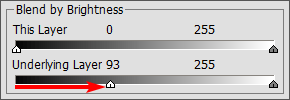 |
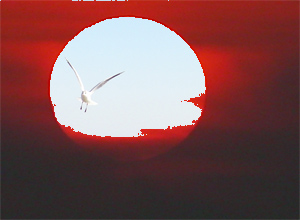
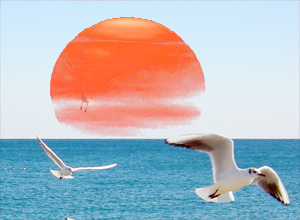
| Lower Layer: Visible 0-93 Hidden 93-255 |
|
| Moving the left slider makes the darker pixels of the lower layer visible on the upper layer if their brightness is less than the specified value |
|
 |
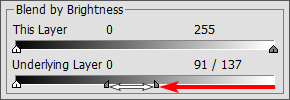 |
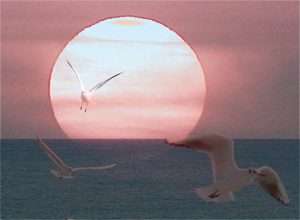
| Lower Layer: Hidden 0-91 Transition 91-137 Visible 137-255 |
|
| Moving the right slider makes the lighter pixels of the lower layer visible on the upper layer, if their brightness is more than the specified value |
|
 |
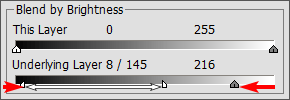 |
| Lower layer: Visible 0-8 Transition 8-145 Hidden 145-216 Visible 216-255 |
|
| Moving the sliders to the center makes pixels from the lower layer visible on the upper layer whose brightness values fall outside the range marked by the sliders |
|