Graphic software for Windows Mac graphic software
Please enter your email to be kept posted on updates and discounts:
 
  
  Products     Download     Online Store     Tutorial     Support     Company
en  fr  de  es  pt  it  jp  ru    
 

Tutorial: AKVIS MultiBrush

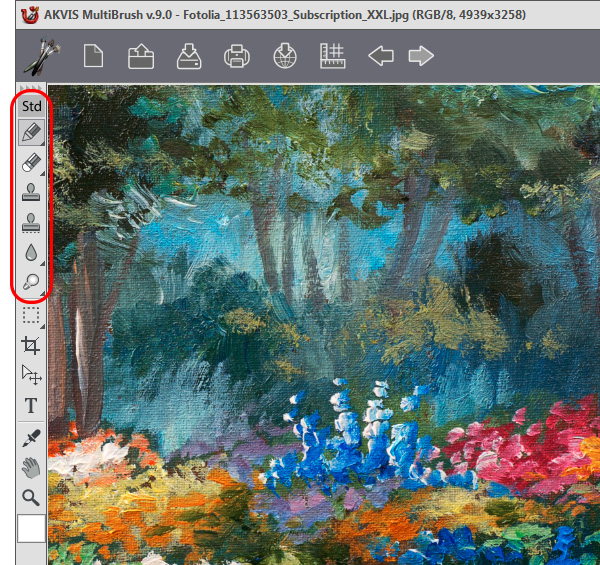
The Brush Tools


AKVIS MultiBrush makes it easy to retouch photos and enhance portraits in Windows and Mac.

The program offers a wide variety of brushes and tools for editing photos. You can find all brushes at the program Toolbar.

Follow the links below to learn more about them.


How It Works How It Works
   — Workspace — Workspace
   — How It Works — How It Works
Palettes Palettes
   — Toolbar — Toolbar
   — Color — Color
   — Swatches — Swatches
   — History — History
Brushes Brushes
   — Color Brush — Color Brush
   — Color Pencil — Color Pencil
   — Eraser — Eraser
   — History Brush — History Brush
   — Clone Stamp — Clone Stamp
   — Chameleon Brush — Chameleon Brush
   — Blur — Blur
   — Sharpen — Sharpen
   — Smudge — Smudge
   — Lighten — Lighten
   — Darken — Darken
   — Saturation — Saturation
Tools Tools
   — Eyedropper — Eyedropper
   — Hand — Hand
   — Zoom — Zoom
Examples Examples
   — Portrait Editing — Portrait Editing
   — Odd Man Out — Odd Man Out
   — Alter Ego — Alter Ego
   — Removing Facial Shine — Removing Facial Shine
   — Photo Retouching — Photo Retouching
   — Removing an Object — Removing an Object
   — Visiting a Wildlife Park — Visiting a Wildlife Park


   Privacy Policy | Site Map | Search | English  |Français  |Deutsch  |Español  |Português  |Italiano  |日本語  |Pусский  | © 2004-2009, AKVIS Software Inc. All rights reserved.