The Chalk Tool in AKVIS MultiBrush


Please enter your email to be kept posted on updates and discounts:
 
 
  Products     Download     Online Store     Tutorial     Support     Company      Customer Room
en  fr  de  es  pt  it  jp  ru    
 

Tutorial: AKVIS MultiBrush

Chalk


Chalk draws soft, textured lines with porous edges. Press C to quickly access this tool.


The tool's parameters will be shown in a floating box over an image (by right-clicking the mouse) and also in the Settings Panel (only if this option is selected in Preferences).

To change a parameter's setting, enter a numerical value in that parameter's box and press Enter (Macintosh: Return) or move the slider.

  • Diameter (3-200). The maximum width of a line drawn by the tool (in pixels).
  • Strength (0-100). The strength of the tool's influence on an image. At higher values, the line drawn by the chalk will be thicker and its edges will be sharper.
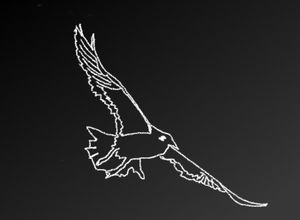
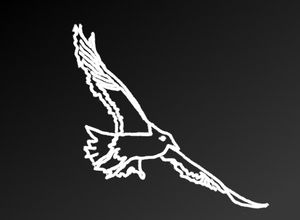
    Weak Influence Strong Influence
    Strength = 5 Strength = 95

The chalk's color is set in the Color/Swatches palettes. To choose a different color bring the cursor over the spectral bar (the cursor will take the shape of a pipette) and click on the desired color or double-click on the square and choose a color from the Select Color dialog. In some cases, selecting a color is more convenient than manually selecting the components of a color via the sliders.

 
How It Works How It Works
   — Workspace — Workspace
   — How To Use The Program — How To Use The Program
   — Create New Image — Create New Image
   — Preferences — Preferences
   — Hot Keys — Hot Keys
Palettes Palettes
   — Toolbar — Toolbar
   — Color — Color
   — Swatches — Swatches
   — History — History
   — Layers — Layers
   — Channels — Channels
Standard Brushes Standard Brushes
   — Color Brush — Color Brush
   — Color Pencil — Color Pencil
   — Spray — Spray
   — Eraser — Eraser
   — History Brush — History Brush
   — Clone Stamp — Clone Stamp
   — Chameleon Brush — Chameleon Brush
   — Blur — Blur
   — Sharpen — Sharpen
   — Smudge — Smudge
   — Lighten — Lighten
   — Darken — Darken
   — Saturation — Saturation
Artistic Brushes Artistic Brushes
   — Oil Brush — Oil Brush
   — Roller — Roller
   — Felt-tip Marker — Felt-tip Marker
   — Chalk — Chalk
   — Artistic Pencil — Artistic Pencil
   — Artistic Spray — Artistic Spray
   — Artistic Eraser — Artistic Eraser
Additional Tools Additional Tools
   — Eyedropper — Eyedropper
   — Hand — Hand
   — Zoom — Zoom
Examples Examples
   — Changing Eye Color — Changing Eye Color
   — Selecting Lipstick — Selecting Lipstick
   — How To Enliven the Color of a Face — How To Enliven the Color of a Face
   — Figure Correction — Figure Correction
   — Portrait Editing — Portrait Editing
   — Odd Man Out — Odd Man Out
   — Alter Ego — Alter Ego
   — Removing Facial Shine — Removing Facial Shine
   — Photo Retouching — Photo Retouching
   — Removing an Object — Removing an Object
   — Visiting a Wildlife Park — Visiting a Wildlife Park


back to top


   Privacy Policy | Site Map | Search at AKVIS    
   Contact Us | Twitter | Facebook | YouTube Channel    
| English  |Français  |Deutsch  |Español  |Português  |Italiano  |日本語  |Pусский  | © 2004-2012 AKVIS. All rights reserved.